For react panels the scopedVars did not contain the built in __interval and __interval_ms
variables.
Fixes#16546
(cherry picked from commit 6a315bd09d)
Fixed bug introduced by replacing native input with @grafana/ui/Input component.
Switch's styling relies on native input checked attribute used in adjacent sibling selector. Because React based Input is wrapped in div, there was no chance for styling to work
(cherry picked from commit 6b2c81bcf2)
* replaced colors for headingColor, link and linkDisabled with colors from grayscale, replaced colors for linkDisabled and linkHover with colors from grayscale, changed color for sha-modal-in-text to text-color-empahises
* fixed snapshot
(cherry picked from commit 70dcb6a22a)
Upgrades to webpack & css optimization caused changes
in production build that removed the left brand
gradient.
Fixes#16430
(cherry picked from commit 0968fbed49)
Fixes bugs introduced in PR #14716 and #15146 also restores unit tests that where lost in the
move from kbn units to @grafana/ui units
Fixes#16068Fixes#16373
(cherry picked from commit 8a4a6b4dc1)
Fixes so it's possible to create new notification channel and providing uid.
Fixes better error/result handling when updating a notifcation channel.
Fixes#16372
Ref #16219#16012
(cherry picked from commit 5da1faf454)
Updates regex to match tag names with periods when generating
series names in alerting evaluation (backend).
Fixes#9148
(cherry picked from commit 33d1d427bc)
Fixes#14615.
Removes extra escaping for regex filter values when using ad hoc
filters for Prometheus. The extra escaping causes queries with
regex characters to be invalid.
GitHub pagination was limiting the result to 30 issues.
This fix makes the changelog script return up to 100
issues. Will have to add a loop to fetch more once we
merge more than 100 PR's that should be added to the
changelog.
Also, fixes a bug where issues that were not included
in the milestone were being returned.
Fixes#16040
Fix so that a template variable in the alias field is not interpolated on blur and only the value sent in the query is interpolated. Does a deep clone of the options.targets to avoid changing the original alias field.
* Docs: Updated changelog for 6.1 release
Also Updates the changelog cli task to group issues into bug fixes
and not bug fixes.
* Minor changelog fixes
Now returns uid in response to get notification channel by id.
Adds GET/PUT/DELETE support for notification channel by uid,
/api/alert-notifications/uid/:uid.
Break apart alerting and alert notification http api docs in two
pages and update documentation to make it up to date
with current implementation.
Fixes#16012
* set the plugin version if there is a migration handler
* only call panel migration if the version changes
* set the version after change also
* avoid NPE... check that we have options
* destroy is based on the previous panel type, not the next one
* Panels: Minor refactoring on panel plugin version code, #16186
* Migrated loki syntax and labels logic to useLokiSyntax hook
* Enable loki labels refresh after specified interval has passed
* Enable periodic loki labels refresh when labels selector is opened
* Fix prettier
* Add react-hooks-testing-library and disable lib check on typecheck
* Add tests for loki syntax/label hooks
* Move tsc's skipLibCheck option to tsconfig for webpack to pick it up
* Set log labels refresh marker variable when log labels fetch start
* Fix prettier issues
* Fix type on activeOption in useLokiLabel hook
* Typo fixes and types in useLokiSyntax hook test fixes
* Make sure effect's setState is not performed on unmounted component
* Extract logic for checking if is component mounted to a separate hook
* grafana/master: (107 commits)
another change that didn't come with earlier commit
change that didn't come with in last commit
reversed dashboard-padding
Update CloudWatch metrics/dimension list (#16102)
brought back dashboard-padding and panel-padding variables, made dashboard-padding more specific
fix(prometheus): Change aligment of range queries (#16110)
Minor refactoring of testdata query order PR #16122
cleaner version
maintain query order
Update PLUGIN_DEV.md
Merge with master, and updated logo and name
update table data model
fix(graphite): nonNegativeDerivative argument hidden if 0, fixes#12488
Correct table names of sql storage for remotecache
more fixes to snapshot
more fixes to snapshot
Fixed gofmt issue in PR #16093
removed empty space in snapshot
fix: Update snapshot related to new jest version
fixed snapshot for test
...
* grafana/master: (56 commits)
another change that didn't come with earlier commit
change that didn't come with in last commit
reversed dashboard-padding
Update CloudWatch metrics/dimension list (#16102)
brought back dashboard-padding and panel-padding variables, made dashboard-padding more specific
fix(prometheus): Change aligment of range queries (#16110)
Minor refactoring of testdata query order PR #16122
cleaner version
maintain query order
Update PLUGIN_DEV.md
Merge with master, and updated logo and name
more fixes to snapshot
more fixes to snapshot
removed empty space in snapshot
fixed snapshot for test
removed dashboard variables, removed headings-font-family variable, created theme variables for links and z-index, removed unused class in _panel_editor and _dashboard
Tooltip: show percent instead of value
Right tooltip position
Add "No data points" message
Improve tooltip look
...
- future alignment cause issues with rate charts and the display of last
values
- this change modifies the alignment to use the last available aligned
end date and no longer possibly requests data from the future
If an image section is included in the JSON payload for MS Teams alerts
when no image URL exists, rendering of the alert in the client fails.
This change makes sure that an image section is only included in the
JSON payload if an image URL exists.
Closes#16082
* grafana/master: (101 commits)
refactor: merged types and updated references
Remove leftover from first iteration
Snapshot update
fix: ts issue on SelectOption test
chore: Bump react and react-dom to 16.8.4
Update latest.json
Update templating.md
Update CHANGELOG.md
chore: cleaning up noimplicit anys in search_srv and tests progress: #14714
Fix threshold editor color picker not working for custom colors
Updated threshold editor test
Re-render gauge / singlestat panels when changing options
fix: refactored so members are loaded by TeamPages and use hideFromTabs instead of filtering out children in navModel
teams: explains the external property of a team membership.
fix: fixed snapshots and permission select not beeing able to click
fix: new team link goes nowhere for viewers
teams: refactor so that you can only delete teams if you are team admin
permissions: removes global access to bus from MakeUserAdmin.
teams: local access to bus, moving away from dep on global.
teams: better names for api permissions.
...
When user selected Custom as an option for a threshold colors, the Custom color picker did not work. The problem was caused by threshold model not including the default colors for fill and line colors when custom was selected. Now, when changing the type to custom, the default valoues are set.
* grafana/master:
docs: renamed file and added redux framework file
docs: moved examples to frontend.md
docs: intial draft for frontend review doc
Use ora#fail instead of console.log
Remove .only function
Add more patterns to no-only-test task
* grafana/master:
Explore: Fix log stats for long labels
dont test exists in the test... it will fail if not found
add random_walk_table scenario
add test file
add startAt to random walk scenario
* grafana/master: (75 commits)
Explore: Fix log stats for long labels
dont test exists in the test... it will fail if not found
add random_walk_table scenario
add test file
add startAt to random walk scenario
get values from base options
use singlestat base where appropriate
feature(explore/table): Add tooltips to explore table (#16007)
Update changelog
Add check for Env before log
Update index.md
chore: Cleaning up implicit anys in manage_dashboard.ts and manage_dashboard.test.ts progress: #14714
chore: Cleaning up implicit anys in app.ts progress: #14714
changelog: adds note about closing #15836
changelog: adds note about closing #6359 and #15931
add partial
no inheratance
improve single stat display
revert most options sharing
add migration tests
...
* grafana/master: (57 commits)
feature(explore/table): Add tooltips to explore table (#16007)
Update changelog
Add check for Env before log
Update index.md
chore: Cleaning up implicit anys in manage_dashboard.ts and manage_dashboard.test.ts progress: #14714
chore: Cleaning up implicit anys in app.ts progress: #14714
changelog: adds note about closing #15836
changelog: adds note about closing #6359 and #15931
add partial
Add check so that header is not sent for anonymous users
Update config docs
Add custom header with grafana user and a config switch for it
changelog: adds note about closing #10816
use constants for cache type
makes variables template prettier complient
white space formating
changelog: adds note about #15744
updates old distcache names
dont allow inifinite expiration
return error if cache type is invalid
...
* grafana/master: (44 commits)
feature(explore/table): Add tooltips to explore table (#16007)
Update changelog
Add check for Env before log
Update index.md
chore: Cleaning up implicit anys in manage_dashboard.ts and manage_dashboard.test.ts progress: #14714
chore: Cleaning up implicit anys in app.ts progress: #14714
changelog: adds note about closing #15836
changelog: adds note about closing #6359 and #15931
add partial
Add check so that header is not sent for anonymous users
Update config docs
Add custom header with grafana user and a config switch for it
changelog: adds note about closing #10816
use constants for cache type
updates old distcache names
dont allow inifinite expiration
return error if cache type is invalid
use `Get` instead of `Find`
avoid exposing cache client directly
add docs about remote cache settings
...
A datasource plugin must return a list of tags in the 'tags' field of
the annotationQuery result. A string 'test' would otherwise result in
4 tags in Grafana: 't','e','s','t'.
* grafana/master: (95 commits)
Fixed issue with alert links in alert list panel causing panel not found errors, fixes#15680
Add comments
Add simple test for the ColorPicker
Use render props pattern in color picker
Move ColorPicker trigger to separate component and cleanup css
Improved error handling when rendering dashboard panels, fixes#15913
fix return type
Only send ci metrics to hosted metrics instance
adding types
Added back branch guard
moved delete button from sidebar to general tab and renamed it
Refactoring the ci metrics a bit more making it easier to re-use
removed unused and very specific variables, also variables with same value as general variable
reduce loglevel to debug
Updated bar gauge snapshot
added some comments about state of components things
heatmap: fix for negative values
move sort to table processing
onCellClick
rotate!
...
* grafana/master: (32 commits)
Fixed more typescript no implicit any issues
Also push to ci metrics to new shared HM instance
Fixed type issues introduced by adding angular types
Typescript noAny fixes, start of a long journey
Updated code stats collection
Updated path to new script
POC on collecting metrics in ci process
changelog: add notes about heatmap issues #15683#14019
added two new variables in default theme for panel padding, replaced panelhorizontalpadding and variables.panelverticalpadding with new variables
renamed default variables: s -> sm, m -> md, l -> lg
removed gf-form-margin variable and replaced with space- variables where it was used
heatmap: able to hide buckets with zero value #12080
s -> sm, m -> md, l -> lg
heatmap: fix prometheus buckets sorting, closes#15637
s -> sm, m -> md, l -> lg
removed headings-margin-bottom variable
remove kbn test
Added scopedVars argument in datasourceSrv.get in DataPanel
heatmap: able to reverse Y buckets order, #15683
Refactoring of multi-value datasource PR #15812
...
* grafana/master:
Fixed type issues introduced by adding angular types
Typescript noAny fixes, start of a long journey
Updated code stats collection
Updated path to new script
POC on collecting metrics in ci process
renamed default variables: s -> sm, m -> md, l -> lg
removed gf-form-margin variable and replaced with space- variables where it was used
heatmap: able to hide buckets with zero value #12080
s -> sm, m -> md, l -> lg
heatmap: fix prometheus buckets sorting, closes#15637
s -> sm, m -> md, l -> lg
removed headings-margin-bottom variable
remove kbn test
Added scopedVars argument in datasourceSrv.get in DataPanel
Refactoring of multi-value datasource PR #15812
fixed minor misstake with dashboard padding
removed -margin, replaced with new general variables
added new space variables to margins in AddPanelWidget, add_data_source, dashboard_settings and sidemenu
added new variables for spacing, set margins in _cards with new variables
Make datasource variables multiselect and dashboard repeatable
* grafana/master:
fix(explore/logs) not collapsing whitespace (#15737)
Refactoring / fixing password hint PR #15868
chore: Move sidemenu out of context service and use the logic we have in the router already for hiding the sidemenu
Fix deduplication results displaying wrong data (#15755)
Revert "Fix Datasource Update to no User/Password"
fix imageurl in notification test
changed all rems to pixels in defaults and template, changed back root font size
Make password hint configurable from settings/defaults.ini
changed root font to 100%(default 16px), changed font-size from px to rem, updated rem sizes in template and default.ts files, removed display classes and variables since not used, removed lead class and variables since not usedremoved serif font since not used and probably never should be used
fix: Update test snapshot
fix: Logo goes Home instead of toggling side menu #15482Fix: #14706 Incorrect index pattern padding in alerting queries
Removed commented code
Fixed alias in Cloudwatch Expressions
- Set container width to 100% so column widths can be calculated properly
- Sets duplicates, level, timestamp, local time to a fixed width based upon em units since the size of these are static
- Sets labels to be 20%
- Remove min-width:80% on message column so that it now consumes remaining space
- Additionally fixes long labels from overflowing into the messages column by properly setting a max-width per label and hiding overflow
closes#15673
Signed-off-by: Steven Sheehy <ssheehy@firescope.com>
The log rows were mutated in the store, what resulted in wrong deduplication results as well as made the selector memoization quirky - for "the same results" the selector was running twice.
This commit:
*fixes histogram computation when zero x-axis min/max are set
(they used to be ignored).
*validates the user defined x-axis min/max values
and ignores them if they result in invalid bucket sizes.
* grafana/master: (24 commits)
docs: Fix indentation level for OAuth2 config
docs: update CONTRIBUTING.md
@grafana/ui - release docs v1 (#15835)
Minor refactoring of copy tags when saving feature, #15446
Simple implementation for preserve tags, closes#11627
Updated prettierignore
Refactoring of PR #14772
fix typo in pr template
add nil/length check when delete old login attempts
Minor refactoring of new react text panel
fix allow anonymous server bind for ldap search
use pure component
use replaceVariables
Catch bad regex exception at controller level
11780: invalid reg value can cause unexpected behaviour
update
Add string quote func
Remove option used to control within browser
Add pic into actionCard message
Add new option to set where to open the message url
...
* grafana/master: (23 commits)
@grafana/ui - release docs v1 (#15835)
Minor refactoring of copy tags when saving feature, #15446
Simple implementation for preserve tags, closes#11627
Updated prettierignore
Refactoring of PR #14772
fix typo in pr template
add nil/length check when delete old login attempts
Minor refactoring of new react text panel
fix allow anonymous server bind for ldap search
Update README.md
use pure component
use replaceVariables
Catch bad regex exception at controller level
11780: invalid reg value can cause unexpected behaviour
update
Add string quote func
Remove option used to control within browser
Add pic into actionCard message
Add new option to set where to open the message url
Optimize the Dingding match values format
...
* Readme update
* Update @grafana/ui Readme qith release process description. Allow version commit creation during release
* Run tests and checks for grafana/core before releasing grafana/ui
* Post review Readme updates
* grafana/master:
Update README.md
Update core:start cli command to watch theme changes again (#15856)
Updated pull request template
Updated pull request rtemplate
Removed title case from issue template title
Updated issue template titles
Updated issue templates
Updated templates
fix: Update error message and replace npm with yarn #15851
fix: Make sure we dont add &autofitpanels to the url if it already exists #15849
Update upgrading.md for wrong spell
return the same panelData unless it changes
Map dataSourceTypeSearchQuery state from redux to search input.
Revert "Fix for leaving playlist mode"
add new issue templates
* grafana/master:
Minor refactoring of PR #15770
Alternative fix to detecting when to stop a playlist, fixes#15701 and #15702
fix discord notifier so it doesn't crash when there are no image generated
Add a keybinding that toggles all legends in a dashboard
removed color in color variables names
changed some more color variables to use variables
* grafana/master: (40 commits)
Minor refactoring of PR #15770
Alternative fix to detecting when to stop a playlist, fixes#15701 and #15702
fix discord notifier so it doesn't crash when there are no image generated
fix: Consistency in unit labels #15709
Update latest.json
Update CHANGELOG.md
position from add panel, dimensions from copied panel
changelog: add notes about closing #14509#15179
fix: Add class for input fields with help icon to avoid icon hiding the text #15771
Update CHANGELOG.md
restore to current folder when restoring old dashboard version
fix(renderer): Vendor ansicolor as typescript
log phantomjs output even if it timeout and include orgId when render alert
keep size from copied panel and not from add panel widget
Added basic cherry pick helping task
Prevent search in VizPicker from stealing focus (#15802)
fix only users that can edit a dashboard should be able to update panel json
Updated changelog task
Fixed image rendering issue for dashboards with auto refresh, casued by missing reloadOnSearch flag on route, fixes#15631
Updated to add PR author, skip PR issue references
...
* grafana/master: (24 commits)
fix: Consistency in unit labels #15709
Update latest.json
Update CHANGELOG.md
position from add panel, dimensions from copied panel
changelog: add notes about closing #14509#15179
fix: Add class for input fields with help icon to avoid icon hiding the text #15771
Update CHANGELOG.md
restore to current folder when restoring old dashboard version
fix(renderer): Vendor ansicolor as typescript
log phantomjs output even if it timeout and include orgId when render alert
keep size from copied panel and not from add panel widget
Added basic cherry pick helping task
Prevent search in VizPicker from stealing focus (#15802)
fix only users that can edit a dashboard should be able to update panel json
Updated changelog task
Fixed image rendering issue for dashboards with auto refresh, casued by missing reloadOnSearch flag on route, fixes#15631
Updated to add PR author, skip PR issue references
Added first iteration/poc of changelog task
Enable @grafana/ui version bump based on package.json contents
Ensure clean master only when publishing package to npm
...
Fixes#15635
Importing ansicolor from node_modules or vendored as is failed because
there is no ES5 transpiler configured for ES6 libs.
- remove ansicolor from package.json
- add ansicolor to public/vendor/ansicolor and port to typescript
- adapt all ansicolor imports
- add `public/vendor` as a path to be considered by ts compiler
* grafana/master: (57 commits)
changelog: adds note for #8253
use default min interval of 1m for sql datasources
changelog: adds note about closing #15608
Fixed scrollbar not visible due to content being added a bit after mount, fixes#15711
Added comment to Docker file
moving
style: add gicon-shield to sidemenu class Closes#15591
remove `UseBool` since we use `AllCols`
fix: Move chunk splitting from prod to common so we get the same files in dev as prod
fix: update datasource in componentDidUpdate Closes#15751
changelog: add notes about closing #15739
Moved Server Admin and children to separate menu item on Side Menu (#15592)
update version to 6.1.0-pre
Viewers with viewers_can_edit should be able to access /explore (#15787)
Fixed scrolling issue that caused scroll to be locked to the bottom of a long dashboard, fixes#15712
reordered import
Wrapperd playlist controls in clickoutsidewrapper
Turn off verbose output from tar extraction when building docker files, fixes#15528
Hide time info switch when no time options are specified
Made sure that DataSourceOption displays value and fires onChange/onBlur events (#15757)
...
* fix: Viewers with viewers_can_edit should be able to access /explore #15773
* refactoring initial PR a bit to simplify function and reduce duplication
* Fixed#15682
* fix: Add hideTimeOverride to state since we need to control the Switch
* fix: Back the maxDataPoints change, we need to keep it as a string
Co-authored-by:johannes.schill@polyester.se
* Fixed url of back button in datasource edit page, when root_url configured
* Update snapshots
* Use app config directly in ButtonRow instead of passing datasources page URL via prop
* Snapshots update
* do not mutate seriesList in mergeSeriesByTime
* extendedseriesList -> extendedDatapointsList
* remove toString() from datapoints, since the value can be null
When weekly index pattern is used, indices names contain single digit week number for week 1-9
This fix makes sure indice names always contain 2 digit week number for weekly pattern
* grafana/master:
Explore: Enable click on name label
Bumping grafana ui version (#15669)
Need this to be available for plugins
docs: 6.0 whats new
Updated latest.json with 6.0
Update CHANGELOG.md
docs: grafana 6.0 has been released.
moves social package to /login
moves tracing packge into /infra
Update CHANGELOG.md
changelog: adds notes for #14509 and #15179
graph: fixes click after scroll in series override menu
moves metric package to /infra
stackdriver: change reducer mapping for distribution metrics
stackdriver: fix for float64 bounds for distribution metrics
Fixed value dropdown not updating when it's current value updates, fixes#15566
- click on the name label in a prometheus table was disabled
- it was disabled because every query used to have a metric which is no
longer true
- this change enables it
Makes changes to dropdown-typeahead2 so that a css
class for the button can be passed in. Means it can
be used instead of dropdown-typeahead.
Switches to using dropdown-typeahead2 for series_overrides
directive and for the influxdb, mysql and postgres datasources
as it already contains a fix for this issue.
This commit also fixes the index property which
was set using an incorrectly spelled length property in the
series_overrides directive.
Closes#15621
- lines for graphs from different query rows end up in different
transactions
- within each transaction the color distribution resets leading to color
overlap
- this change takes existing transaction colors into account
- Distribution metrics are now mapped to more reducers
when the metric kind is cumulative.
- The witdth of the metrics dropdown is now much wider.
- Changed the text from Select Aggregation to Select Reducer
to line up with the UI in Stackdriver.
Changed how react panels store their options
* Added a ReactPanelPlugin as the interface that react panels export, this way react panels have clearer api, and gives us hooks to handle migrations and a way for panel to handle panel changes in the future
* Moved gauge value options into a sub oject and made editor more generic, will be moved out of gauge pane later and shared between singlestat, gauge, bargauge, honecomb
* Also remove nested options prop that was there due to bug
* Added missing Gauge props
* Fixed gauge issue that will require migration later and also value options editor did not handle null decimals or 0 decimals
* Fixed unit tests
* More fixes for react panels
as noted, sessions might not be a good name for this metrics.
while devices would be a better name for users I think we should
align the name with the code as much as possible. The ui listing
all auth_tokens per user should probarbly say "devices" instead
IPA v4.6.4 introduced a fix that does not allow empty attributes
to be sent in a search request. This fix only adds attributes to
the request if they are mapped in the ldap toml file.
better ha setup for many mysql connections
prometheus now scrapes mysql metrics in ha setup
ha setup provisions mysql dashboard
adds configurable virtual users for load test run script
For the filter expression, a better default is to
interpolate multi variables as a regex rather than
the default globbing pattern.
Also, uses the real TemplateSrv class rather than
stubbing it in the tests.
* grafana/master: (54 commits)
now /api/login/ping returns Response
fix: Explore: Query wrapping on long queries #15222
fix: Set ace editor min height to avoid problem with scrollbar overlapping ace content #15122
fix: Data source picker in panel queries options should overlap content below, including ace scrollbar #15122
fix util for splitting host and port
changelog: add notes about closing #14231
fixing logging action
devenv: switching back using loki master plus various fixes
Fix save provisioned dashboard modal
Add AWS/Neptune to metricsMap and dimensionsMap
did not add file, removing centerered
Legend toggle should only trigger a re-render, not a refresh
first stuff
updated snapshot
Adding pointer to colorpicker
Minor post review changes
More style tweaks to panel option group add button
Made some style tweaks
setting margin on label
Make runQueries action independent from datasource loading
...
Added new PATCH verb annotation endpoint
Removed unwanted fmt
Added test cases for PATCH verb annotation endpoint
Fixed formatting issue
Check arr len before proceeding
Updated doc to include PATCH verb annotation endpt
moving middleware/hooks away from package
exposing public struct UserToken accessible from other packages
fix debug log lines so the same order and naming are used
* grafana/master: (835 commits)
changes some info logging to debug
add missing ngInject annotation
typing data
changelog: adds note about closing #10780
Do not render time region line or fill if colors not provided
Fixed row options html template location, fixes#15157
creating table data type
build: enterprise release co project.
Moved dashboard state components to state folder
Moved time_srv to services folder, this should not belong to dashboard feature but it is too dependant on dashboard to move it out now, needs a bigger refactoring to isolate from dashboard
Moved a few things around
Updated what's new article
Update CHANGELOG.md
Update CHANGELOG.md
Replace usages of kbn.valueFormats with ui/getValueFormat
Fix anchor
Added download links to docs
Updated docs
Updated version again
Updated version and made some changes to changelog and what's new article
...
- after mounting with an initial value, the onChange of a query field is triggered
- even though the slate documents are not the same, their text values are identical, hence the change propagation is useless
- added check to propagate text change only when text has actually changed
See,
$ gometalinter --vendor --deadline 10m --disable-all --enable=golint ./...
filepath.go:12:5⚠️ error var WalkSkipDir should have name of the form ErrFoo (golint)
shortid_generator.go:11:5⚠️ var validUidPattern should be validUIDPattern (golint)
shortid_generator.go:19:6⚠️ func IsValidShortUid should be IsValidShortUID (golint)
shortid_generator.go:24:6⚠️ func GenerateShortUid should be GenerateShortUID (golint)
See,
$ gometalinter --vendor --deadline 10m --disable-all --enable=golint ./...
ip.go:8:6⚠️ func SplitIpPort should be SplitIPPort (golint)
url.go:14:6⚠️ func NewUrlQueryReader should be NewURLQueryReader (golint)
url.go:9:6⚠️ type UrlQueryReader should be URLQueryReader (golint)
url.go:37:6⚠️ func JoinUrlFragments should be JoinURLFragments (golint)
See,
$ gometalinter --vendor --deadline 10m --disable-all --enable=golint ./...
encoding.go:15:1⚠️ comment on exported function GetRandomString should be of the form "GetRandomString ..." (golint)
encoding.go:30:1⚠️ exported function EncodePassword should have comment or be unexported (golint)
encoding.go:35:1⚠️ comment on exported function EncodeMd5 should be of the form "EncodeMd5 ..." (golint)
encoding.go:42:1⚠️ comment on exported function PBKDF2 should be of the form "PBKDF2 ..." (golint)
encoding.go:80:1⚠️ exported function GetBasicAuthHeader should have comment or be unexported (golint)
encoding.go:85:1⚠️ exported function DecodeBasicAuthHeader should have comment or be unexported (golint)
encoding.go:105:1⚠️ exported function RandomHex should have comment or be unexported (golint)
encryption.go:14:1⚠️ exported function Decrypt should have comment or be unexported (golint)
encryption.go:39:1⚠️ exported function Encrypt should have comment or be unexported (golint)
ip.go:7:1⚠️ exported function SplitIpPort should have comment or be unexported (golint)
json.go:3:6⚠️ exported type DynMap should have comment or be unexported (golint)
md5.go:22:1⚠️ comment on exported function Md5SumString should be of the form "Md5SumString ..." (golint)
strings.go:10:1⚠️ exported function StringsFallback2 should have comment or be unexported (golint)
strings.go:14:1⚠️ exported function StringsFallback3 should have comment or be unexported (golint)
strings.go:27:1⚠️ exported function SplitString should have comment or be unexported (golint)
strings.go:35:1⚠️ exported function GetAgeString should have comment or be unexported (golint)
url.go:8:6⚠️ exported type UrlQueryReader should have comment or be unexported (golint)
url.go:12:1⚠️ exported function NewUrlQueryReader should have comment or be unexported (golint)
url.go:23:1⚠️ exported method UrlQueryReader.Get should have comment or be unexported (golint)
url.go:32:1⚠️ exported function JoinUrlFragments should have comment or be unexported (golint)
validation.go:16:1⚠️ exported function IsEmail should have comment or be unexported (golint)
* master: (250 commits)
Firing off an action instead of listening to location changes
Changes after PR Comments
Made ExplorerToolbar connected and refactored away responsabilities from Explore
Removed some split complexity
Fixed some more styling
Fixed close split look and feel
Fixed position of Closesplit
Fixed small issue with TimePicker dropdown position
Simplified some styles and dom elements
Fixed some more with the sidemenu open and smaller screens
Fixed so heading looks good with closed sidemenu
Restructure of component and styling
Refactored out ExploreToolbar from Explore
Fixed reinitialise of Explore
changelog: add notes about closing #13929
changelog: add notes about closing #14558
changelog: add notes about closing #14484
changelog: add notes about closing #13765
changelog: add notes about closing #11503
changelog: add notes about closing #4075
...
* master: (262 commits)
pkg/services/dashboards/dashboard_service.go: simplify return
Updated url query param encoding to exctly match angular encoding
Updated snapshot
Added missing props not being passed to scrollbar component, fixes#15058
Document /api/health
changelog: adds note for #15062
change default rotate_token_minutes to 10 minutes
fix
load test/ha fixes
set low login cookie rotate time in ha mode
fix multiple piechart instances bug
scripts/build/*: Fix some golint issues
scripts/build/*: Fix golint issues Url => URL
build: fixes building grafana completely within docker.
dont specify domain for auth cookies
New snapshot reflecting changes
Makes the clickable side menu header look great in light theme again
org id fix for load test
user auth token load tests using k6.io
moves cookie https setting to [security]
...
See,
$ gometalinter --vendor --disable-all --enable=golint ./...
build/release_publisher/externalrelease.go:55:6⚠️ type getHttpContents should be getHTTPContents (golint)
build/release_publisher/publisher.go:18:2⚠️ struct field apiUri should be apiURI (golint)
build/release_publisher/publisher.go:66:6⚠️ exported type ReleaseType should have comment or be unexported (golint)
build/release_publisher/publisher.go:69:2⚠️ exported const STABLE should have comment (or a comment on this block) or be unexported (golint)
build/release_publisher/publisher.go:185:16⚠️ should replace errors.New(fmt.Sprintf(...)) with fmt.Errorf(...) (golint)
build/release_publisher/publisher_test.go:102:6⚠️ type mockHttpGetter should be mockHTTPGetter (golint)
$ gometalinter --vendor --disable-all --enable=golint ./... | grep -i URL
build/publish.go:18:5⚠️ var apiUrl should be apiURL (golint)
build/publish.go:184:2⚠️ struct field WhatsNewUrl should be WhatsNewURL (golint)
build/publish.go:185:2⚠️ struct field ReleaseNotesUrl should be ReleaseNotesURL (golint)
build/publish.go:191:2⚠️ struct field Url should be URL (golint)
build/release_publisher/externalrelease.go:17:53⚠️ method parameter baseArchiveUrl should be baseArchiveURL (golint)
build/release_publisher/externalrelease.go:17:69⚠️ method parameter whatsNewUrl should be whatsNewURL (golint)
build/release_publisher/externalrelease.go:17:89⚠️ method parameter releaseNotesUrl should be releaseNotesURL (golint)
build/release_publisher/localrelease.go:20:45⚠️ method parameter baseArchiveUrl should be baseArchiveURL (golint)
build/release_publisher/localrelease.go:20:61⚠️ method parameter whatsNewUrl should be whatsNewURL (golint)
build/release_publisher/localrelease.go:20:81⚠️ method parameter releaseNotesUrl should be releaseNotesURL (golint)
build/release_publisher/localrelease.go:45:41⚠️ method parameter baseArchiveUrl should be baseArchiveURL (golint)
build/release_publisher/localrelease.go:51:84⚠️ func parameter baseArchiveUrl should be baseArchiveURL (golint)
build/release_publisher/main.go:12:6⚠️ var whatsNewUrl should be whatsNewURL (golint)
build/release_publisher/main.go:13:6⚠️ var releaseNotesUrl should be releaseNotesURL (golint)
build/release_publisher/main.go:40:6⚠️ var baseUrl should be baseURL (golint)
build/release_publisher/main.go:94:6⚠️ func createBaseUrl should be createBaseURL (golint)
build/release_publisher/publisher.go:21:2⚠️ struct field baseArchiveUrl should be baseArchiveURL (golint)
build/release_publisher/publisher.go:26:17⚠️ interface method parameter baseArchiveUrl should be baseArchiveURL (golint)
build/release_publisher/publisher.go:26:33⚠️ interface method parameter whatsNewUrl should be whatsNewURL (golint)
build/release_publisher/publisher.go:26:53⚠️ interface method parameter releaseNotesUrl should be releaseNotesURL (golint)
build/release_publisher/publisher.go:29:31⚠️ method parameter whatsNewUrl should be whatsNewURL (golint)
build/release_publisher/publisher.go:29:51⚠️ method parameter releaseNotesUrl should be releaseNotesURL (golint)
build/release_publisher/publisher.go:91:24⚠️ method getUrl should be getURL (golint)
build/release_publisher/publisher.go:91:31⚠️ method parameter baseArchiveUrl should be baseArchiveURL (golint)
build/release_publisher/publisher.go:190:15⚠️ func parameter baseArchiveUrl should be baseArchiveURL (golint)
build/release_publisher/publisher.go:199:21⚠️ method apiUrl should be apiURL (golint)
build/release_publisher/publisher.go:257:2⚠️ struct field WhatsNewUrl should be WhatsNewURL (golint)
build/release_publisher/publisher.go:258:2⚠️ struct field ReleaseNotesUrl should be ReleaseNotesURL (golint)
build/release_publisher/publisher.go:264:2⚠️ struct field Url should be URL (golint)
build/release_publisher/publisher_test.go:10:3⚠️ struct field whatsNewUrl should be whatsNewURL (golint)
build/release_publisher/publisher_test.go:11:3⚠️ struct field relNotesUrl should be relNotesURL (golint)
build/release_publisher/publisher_test.go:17:3⚠️ struct field expectedUrl should be expectedURL (golint)
build/release_publisher/publisher_test.go:18:3⚠️ struct field baseArchiveUrl should be baseArchiveURL (golint)
build/release_publisher/publisher_test.go:109:2⚠️ var whatsNewUrl should be whatsNewURL (golint)
build/release_publisher/publisher_test.go:110:2⚠️ var relNotesUrl should be relNotesURL (golint)
* master: (32 commits)
Fixed react key warning for loki start page
Disable query should trigger refresh
added docs entry for check_for_updates config flag, fixes ##14940
Explore: Fix scanning for logs
Moved ad hoc filters and upload directive
Moved dashboard srv and snapshot ctrl
Moved share modal
Moved dashboard save modals to components folder
Moved unsaved changes service and modal
Removed unused alertingSrv
Moved view state srv to services
Moved timepicker to components
Moved submenu into components dir
Moved dashboard settings to components
Moved dashboard permissions into components dir
Moved history component, added start draft of frontend code style guide
fix: Use custom whitelist for XSS sanitizer to allow class and style attributes
Began work on improving structure and organization of components under features/dashboard, #14062
Fix a typo in changelog
Update ROADMAP.md
...
* master: (156 commits)
Fixed issues with the sanitizie input in text panels, added docs, renamed config option
build: removes arm32v6 docker image.
Updated version in package.json to 6.0.0-pre1
Update CHANGELOG.md
build: armv6 docker image.
build: skips building rpm for armv6.
build: builds for armv6.
Explore: mini styling fix for angular query editors
Removed unused props & state in PromQueryField
chore: Remove logging and use the updated config param
chore: Reverse sanitize variable so it defaults to false
feat: wip: Sanitize user input on text panel
fix: Text panel should re-render when panel mode is changed #14922
Minor rename of LogsProps and LogsState
Splitted up LogLabels into LogLabelStats and LogLabel
Refactored out LogRow to a separate file
Removed strange edit
Added link to side menu header and fixed styling
Moved ValueMapping logic and tests to separate files
Fixed data source selection in explore
...
Updated config for Graph legend not to display horizontal scroll track which caused legend being not accessible in ceertain situations (e.g. when native OS scroll overlay disabled)
- The "missing" action was triggered unless the number of datasource >1 🤦
- Made datasource preselection more robust in case the requested datasource is already gone
- moved ActionTypes to `./state/actionTypes`
- renamed click-related actions
- added comments to actions and state types
- prefixed Explore actions with `explore/`
- fixed query override issue when row was added
- since e731c248d7 step calculation for
annotation queries was broken
- this change puts the interval in the correct parameter so it gets
considered in `createQuery`
- added tests
if one dashboard with an uid is refered to by two
provsioners each provsioner overwrite each other.
filling up dashboard_versions quite fast if using
default settings.
ref #12864
Caused by the return and loading spinner icons having different widths. Used fa-fw helper class to ensure fixed width on icons. Also, made the spacing between icon and button label slightly smaller, as the rotated level-down icon used as return icon has significantly smaller width compared to the loading spinner and it looked oddly far from the label as compared to timepicker's icon
* grafana/master: (54 commits)
s/initialDatasourceId/initialDatasource/
Fixed issues with panel size in edit mode, fixes#14703
Tweak datetime picker layout for mobile
Explore: Remember last use datasource
Update yarn.lock
Logs data model: add more log levels
Review feedback
Explore: fix loading indicator z-index on panel container
Loki: change query row to be single field again
Explore: logging UI style fixes
Loki: query limit configurable in datasource
Removed rxjs compat
ldap: adds extra debug logging
adds orgId to user dto for provisioned dashboards
Update rxjs
closes the body properly on successful webhooks
makes cache mode configurable
Fix general tab typos
added node-sass as dev dependency, needed after I removed grunt-sass
Husky and sasslint fixes, fixes#14638
...
- tried split selector and search for a week, and it did not feel natural
- keeping some of the original modifications in QueryField from splitting PR
- adapted CheatSheet and placeholder text
- added new label selector state: No labels found
- Loki queries must contain a limit
- this change makes this limit configurable in the datasource
- keep default at 1000, add tooltip on why inc/dec makes sense
- added tests
this makes the cache mode in the sqlite connection
string configurable. the default also changed from
shared to private to solve #107272 but allow the user
to use shared if performance is more important.
ref #10727
* grafana/master: (41 commits)
Fixes undefined issue with angular panels and editorTabs
changelog: adds note about closing #14562
Update field name
Add documentation
Rename the setting and add description
export init notifier func
Increase recent and starred limit in search and home dashboard, closes#13950
changelog: adds note about closing #14486
Panel help view fixes
Add min/max height when resizing and replace debounce with throttle
changelog: adds note about closing #14546
Adding tests for auth proxy CIDR support
changelog: adds note about closing #14109
fix signed in user for orgId=0 result should return active org id
Another take on resizing the panel, now using react-draggable
Raise datasources number to 5000
copy props to state to make it visible in the view
refactor to not crash when no links
updating snaps
renaming component
...
* grafana/master: (421 commits)
Minor update
Make sure panel id is unique since some datasources (Graphite) will cancel ongoing requests with the same panel id
changelog: adds note about closing #14548
Minor cleanup now that angular panel edit is no longer
Gauge option form markup fixes
filter out table responses that don't have columns and rows
enable goto explore from query panel editor for all datasources
moves migrations to /sqlstore/migrations
adds integration tests to ci build
renames main lock function
clean up integration tests
change from db_text to nvarchar
adds server lock package
initial verison of server lock
Minor react graph panel refactorings and fixes
sorting tests for change value
Fixes issues with user and team picker
fixing coloring
remove printed index
updating test
...
This is an important metric for computation throughput in the context
of High Performance Computing (HPC). I've never heard of the kilo
prefix here, nowadays it's mostly measured in MFLOP/s.
* grafana/master: (93 commits)
updated publish script
Update CHANGELOG.md
fix time regions bugs
fixed issue with colorpicker position above window, fixes#14412
fixed issue with singlestat and repeated scopedVars, was only working for time series data sources, and only if there was any series, now scoped vars is always set, fixes#14367
fix search tag issues, fixes#14391
Clear query models when changing data source type, fixes#14394
Use correct variable name in fail text
Fix logs panel meta wrap
Explore: dont pass all rows to all rows, fixes profiler
Explore: Logging dedup tooltips
Explore: Hide scanning again after result was found
Explore: Fix timepicker inputs for absolute dates
Switch to global match for full browser support of escaped custom vars
Allow backslash escaping in custom variables
Fixed issue with logs graph and stacking
align yellow collor with graph in logs table
Add the AWS/SES Cloudwatch metrics of BounceRate and ComplaintRate. Pull request #14399
allow sidemenu sections without children still have a hover menu/header
changelog: adds note about closing #11221
...
- changed log parser API to be more semantic: getting fields, getting values
- regexps become an implementation detail of parser and are no longer part of the API
- improved JSON parser to not be tripped by nested quotation marks
- improved JSON parser to support numbers
- added more tests
- add second query field to logging datasource query component
- second field manages search term, first field manages stream selectors
- improved logging cheat sheet to get started
- react profiler seems to evaluate all props of all components down the tree
- this becomes slow when 1000 rows are passed to 1000 rows and their labels
- use getter function instead to ask for rows on demand
* master: (322 commits)
graphInterval needs to update after query execution, fixes#14364
Explore: Parse initial dates
Aligned styling of stats popover/box with rest of grafana & minor css refactoring
Prometheus: Make result transformer more robust for empty responses
Rebase fixes
Explore: Logging line parsing and field stats
fixed unit tests
made unknown color theme aware and sync with graph color, some minor cleanup
Explore: improve error handling
use render props instead of cloneElement
sort of a hacky way to figure if the small variation should be used for the label
add basic button group component, using the the same label style as is
explore logs styling
wip: alternative level styling & hover effect
wip: explore logs styling
more detailed error message for loki
If user login equals user email, only show the email once #14341
UserPicker and TeamPicker should use min-width instead of fixed widths to avoid overflowing form buttons. #14341
wip: explore logs styling
restoring monospace & making sure width are correct when hiding columns
...
Lazily parse lines and display stats for field when clicked on.
- log line parsers for JSON (basic), and logfmt
- delayed parsing in case user moves to other line
- reuse label stats for field stats
improve light theme look
use new toggle button group in logs
stop propagation on click event
clean up styles
improve support for small when a label is present
refactoring - move toggle button to the group file. turn it into a stateless component
improve support for light theme
rename dedupe to dedup
use radius variable
3c330c8e4c/pkg/services/sqlstore/quota.go (L106)
In the real use case, `has` that is described by the above code is always `false` because it includes `Updated` in a query.
So this commit fixes this issue.
See,
$ find . -type f | xargs misspell -locale US | grep -vi -e vendor -e devenv -e Unknwon -e Destory | grep pkg
./pkg/services/sqlstore/org_test.go:190:15: "frome" is a misspelling of "from"
./pkg/tsdb/elasticsearch/response_parser.go:544:24: "Unkown" is a misspelling of "Unknown"
./pkg/tsdb/opentsdb/opentsdb.go:87:20: "marshalling" is a misspelling of "marshaling"
./pkg/components/dynmap/dynmap_test.go:2:7: "Licence" is a misspelling of "License"
./pkg/components/dynmap/dynmap.go:2:7: "Licence" is a misspelling of "License"
A logging query has a selector part and a regexp. The regexp matches are highlighted when results return.
This change adds live preview to matches when modifying the regexp in a search field.
- delegate retrieval of match query to datasource
- datasource returns search expressions to be used to highlight a live preview of matches
- logs row now takes preview highlights
- logs row renders preview highlights with dotted line to distinguish from query run matches (solid line)
- fix react-highlight-words version to ensure custom chunk matcher
- custom chunk matcher can now also take incomplete regexps, eg, `(level` without inifinte looping
- perf: debounce of live preview to 500ms
- perf: only top 100 rows get the live preview
- preview is only supported with one query row (multiple rows semantic makes this tricky: regexp for row n should only filter results for query n)
- added filter and stats icons to log stream labels
- removed click handler from label itself
- click on stats icon calculates label value distribution across loaded logs lines
- show stats in hover
- stats have indicator which value is the current one
- showing top 5 values for the given label
- if selected value is not among top 5, it is added
- summing up remaining label value distribution as Other
* grafana/master: (39 commits)
update package.json to next version
changelog: add notes about closing #13815
changelog: add notes about closing #14246
changelog: add notes about closing #12653
Hid "Forgot your password" link from login menu when reset is disabled
Prevent password reset when login form is disabled or either LDAP or Auth Proxy is enabled
update changelog
update latest.json to latest stable version
new stable docs version
dataproxy: Override incoming Authorization header
changelog: add notes about closing #14228
Explore: Show logging errors from backend
change obj order when merging so that correct format is being used
Explore: Fix logging query parser for regex with quantifiers
Update README.md
Fixed typo in function name
Explore: Fix label and history suggestions
let each sql datasource handle timeFrom and timeTo macros
Review feedback
changelog: add notes about closing #14167
...
- Logging datasource sends error string directly in the message body
- allowing response body to be an error when query transaction failed
- added throw in case we ever encounter unhandled errors again (forces us to fix the issue)
- ensure that selectors have to be preceded by whitespace or line beginning
- glacing over the fact that ` {0,1}` could be a valid regexp, but we're using space as query/regexp separators anyway, so I think it's fine for now
- fork promql's tokenizer (need to specify that labels context can only follow beginning of line or whitespace)
- remove unneeded syntax features
- only present history items when field is empty
- fixed typo
- moved result calculation to explore utils
- use component keys instead of componentWillReceiveProps
- require logs to have and id, to as use as Logs component key
- render delay based on row count
See,
$ find . -type f | xargs misspell -locale US | grep -v -e vendor -e node_modules -e devenv | grep CHANGELOG.md
./CHANGELOG.md:163:60: "organisation" is a misspelling of "organization"
./CHANGELOG.md:286:13: "Litre" is a misspelling of "Liter"
./CHANGELOG.md:394:163: "Spindel" is a misspelling of "Spindle"
./CHANGELOG.md:421:51: "metre" is a misspelling of "meter"
./CHANGELOG.md:738:73: "dashboad" is a misspelling of "dashboard"
./CHANGELOG.md:903:18: "organisation" is a misspelling of "organization"
./CHANGELOG.md:1031:48: "organisation" is a misspelling of "organization"
./CHANGELOG.md:1170:51: "cancelled" is a misspelling of "canceled"
./CHANGELOG.md:1874:97: "muliple" is a misspelling of "multiple"
./CHANGELOG.md:1909:60: "fullscren" is a misspelling of "fullscreen"
- moved from grid to flexbox
- calculate Explore results only when query transactions change to prevent expensive re-renders
- split up rendering of graph and log data
- render log results in 2 stages
Grafana v5.3.4 shows a new checkbox in the export modal "Export for sharing externally". If the checkbox is not checked then the "__inputs" section wont be included into the exported JSON file, would be great to add that note into the documentation for others to avoid confusions.
- adds a custom label renderer to Logs viewer in Explore
- labels are no longer treated as strings, they are passed as parsed objects to the log row
- label renderer supports onClick handler for an action
- renamed Explore's `onClickTableCell` to `onClickLabel` and wired up log label renderers
- reuse Prometheus `addLabelToSelector` to modify Logging queries via click on label
- added tests to `addLabelToSelector`, changed to include the surrounding `{}`
- use label render also for common labels in the controls panel
- logging meta data section has now a custom renderer that can render numbers, strings, and labels
- style adjustments
Sometimes log streams dont return any lines for the given range. Would be great to automate the search until some logs are found.
- Allow Explore to drive TimePicker via ref
- Show `Scan` link in Logs when there is no data
- Click on `Scan` sets Explore into scanning state
- While scanning, tell Timepicker to shift left
- TimePicker change triggers new queries with shifted time range
- Remember if query transaction was started via scan
- keep scanning until something was found
- Manual use of timepicker cancels scanning
The existing intro makes it look like you should use `$<varname>` to refer to a variable. That of course is incorrect, and you should use `$varname`. In my experience using the <> marker around variable names should only be used when there isn't something else explicit to set it off. In this case we have `$`. Below, you can see the <> are also not used, because we have the `[[]]` to set it off. The inconsistency is confusing.
- since the DataQuery rewrite, Explore starts by submitting its queries (Explore cant know if the queries are emtpty)
- The datasource intercepts an empty query and returns an empty list of time series, and also no table for the table query.
- The query hinter then received no series to analyse and was not guarding against this.
- This PR adds this guard.
- add `onToggleSeries` to Explore Graph props
- toggling a Logging Graph series from the legend propagates its hidden series to Logs
- Logs translates hidden series alias to LogLevels
- Logs filters out hidden log levels
properties to void 0. This breaks angularjs preAssignBinding which
applies bindings to this before constructor is called. Fixed by
using fork of babel plugin.
https://github.com/babel/babel/issues/8417
Logging's query importer drops all labels that are not common to both datasources.
- keep labels if label lookup of logging datasource came back empty
- easier to remove labels than having to add them in the first place
Currently the footer is based on top margins which looks odd on big screen sizes.
Also, the footer shows up on the top of the page on pages take a moment to load (while ng-view is rendering).
- True sticky footer based on flexbox
- Ensure footer stays at bottom while ng-view div does not exist yet
when listing multiple gf-form elements this style is
applied to all elements except the first. By having the
margin on the right side there will always be some margin
between all gf-forms
- Queries in Explore have been string based
- This PR introduces the use of the DataQuery type to denote all queries handled in Explore
- Within Explore all handling of DataQueries is transparent
- Modifying DataQueries is left to the datasource
- Using `target` as variable names for DataQueries to be consistent with the rest of Grafana
Discovered implementation issues with the set utilities used in the
explore section after adding some tests. Added tests to reinforce the
expected behaviour of the utility functions.
Related: #13522
The implemented toggling UX is similar to how the dashboard graph plugin
behaves. Also incorporates review feedback to persist series visibility
state by means of the alias property, with the limitation it carries
too.
Related: #13522
Datasource selection triggers a connection test, on success
the DS is set in the Explore state. If the test takes long and user
selects a different DS, and just after that the first test succeeds,
then the first DS overwrites the state.
* when test returns check if datasource is still the requested one
Using `Number.prototype.toLocaleString()` has the unexpected behavior of truncating anything
exceeding 3 decimal digits on floats.
Additionally, it introduces inconsistencies (comma vs period separators) which could make processing the
output CSV harder than it could be. The proposed solution here is to simply let numbers be cast
automatically via string concatenation.
Fixes#13929
See,
$ gometalinter --vendor --deadline 10m --disable-all --enable=errcheck ./...
pkg/cmd/grafana-server/server.go:77:22⚠️ error return value not checked (serviceGraph.Provide(&inject.Object{Value: bus.GetBus()})) (errcheck)
pkg/cmd/grafana-server/server.go:78:22⚠️ error return value not checked (serviceGraph.Provide(&inject.Object{Value: g.cfg})) (errcheck)
pkg/cmd/grafana-server/server.go:79:22⚠️ error return value not checked (serviceGraph.Provide(&inject.Object{Value: routing.NewRouteRegister(middleware.RequestMetrics, middleware.RequestTracing)})) (errcheck)
pkg/cmd/grafana-server/server.go:80:22⚠️ error return value not checked (serviceGraph.Provide(&inject.Object{Value: cache.New(5*time.Minute, 10*time.Minute)})) (errcheck)
pkg/cmd/grafana-server/server.go:87:23⚠️ error return value not checked (serviceGraph.Provide(&inject.Object{Value: service.Instance})) (errcheck)
pkg/cmd/grafana-server/server.go:90:22⚠️ error return value not checked (serviceGraph.Provide(&inject.Object{Value: g})) (errcheck)
* grafana/master: (116 commits)
Adjust UI depth of query statistics
Preserve suffix text when applying function suggestion
changelog: adds note about closing #13993
Refactored log stream merging, added types, tests, comments
Fixes#13993 - adds more options for Slack notifications
add auth.proxy headers to sample.ini
add auth.proxy headers to default.ini
fixed issue with reducer sharing url query instance with angular router
fixed exporter bug missing adding requires for datasources only used via data source variable, fixes#13891
minor text change in export modal
build: removes unused.
Fixed issues introduced by changing to PureComponent
further refactoring of #13984
minor fix
refactorings and some clean-up / removal of things not used
Update docs/sources/permissions/dashboard_folder_permissions.md
Fix typo in docs/sources/reference/scripting.md
move enterprise down in menu
wip: panel-header: Fix shareModal compatibility with react and angular
wip: panel-header: Remove custom menu items from panels completely
...
* grafana/master: (878 commits)
changelog: adds note about closing #13945
removed file I added accidentally
fixed to template PR issues, #13938
alerting: increase default duration for queries
Load hash based styles in error.html, too
Add [hash] to filename of grafana.{light,dark}.css
Fix minor JSON typo in HTTP API docs
Added new backend setting for license file
changelog: add notes about closing #13925
fix for responsive rule for footer
Updated login page logo & wordmark and responsive behavior
added new workmarks
fixed react whitespace warning on teams page
renamed org files to match new naming guide
moved profile pages to it's own feature folder
moved new teams page
reload page after preferences update
Add delta window function to postgres query builder
Increase Telegram captions length limit.
Explore: async starts of language provider
...
* grafana/master: (127 commits)
alerting: move all notification conditions to defaultShouldNotify
filter NULL values for column value suggestions
imguploader: Add support for ECS credential provider for S3
Remove .dropdown-menu-open on body click fixes#13409
Remove option r from ln command since its not working everywhere
fix: updated tests
Fix spelling of your and you're
Changed setting to be an alerting setting
Remove non-existing css prop
fix: Legend to the right, as table, should follow the width prop. Removing css conflicting with baron's width calculation. #13312
rendering: Added concurrent rendering limits
devenv: fix uid for bulk alert dashboards
Explore: moved code to app/features/explore
target gfdev-prometheus datasource
devenv: adds script for creating many dashboards with alerts
Fix goconst issues
When stacking graphs, always include the y-offset so that tooltips can render proper values for individual points
provisioning: changed provisioning default update interval from 3 to 10 seconds
Fix https://github.com/grafana/grafana/issues/13387 metric segment options displays after blur
docs: improve oauth generic azure ad instructions
...
* **Prometheus**: adhoc filter support [#8253](https://github.com/grafana/grafana/issues/8253), thx [@mtanda](https://github.com/mtanda)
* **Permissions**: Editors can become admin for dashboards, folders and teams they create. [#15977](https://github.com/grafana/grafana/pull/15977), [@xlson](https://github.com/xlson)
### Minor
* **Auth**: Support listing and revoking auth tokens via API [#15836](https://github.com/grafana/grafana/issues/15836)
* **Alerting**: DingDing notification channel now includes alert values. [#13825](https://github.com/grafana/grafana/pull/13825), [@athurg](https://github.com/athurg)
* **Alerting**: Notification channel http api enhancements. [#16219](https://github.com/grafana/grafana/pull/16219), [@marefr](https://github.com/marefr)
* **Cache**: Adds support for using out of proc caching in the backend [#10816](https://github.com/grafana/grafana/issues/10816)
* **Dashboard**: New keyboard shortcut `d l` toggles all Graph legends in a dashboard. [#15770](https://github.com/grafana/grafana/pull/15770), [@jsferrei](https://github.com/jsferrei)
* **Datasource**: Only log connection string in dev environment [#16001](https://github.com/grafana/grafana/issues/16001)
* **DataProxy**: Add custom header (X-Grafana-User) to data source requests with the current username. [#15998](https://github.com/grafana/grafana/pull/15998), [@aocenas](https://github.com/aocenas)
* **DataProxy**: Make it possible to add user details to requests sent to the dataproxy [#6359](https://github.com/grafana/grafana/issues/6359) and [#15931](https://github.com/grafana/grafana/issues/15931)
* **DataProxy**: Adds oauth pass-through option for datasources. [#15205](https://github.com/grafana/grafana/pull/15205), [@seanlaff](https://github.com/seanlaff)
* **Explore**: Make it possible to close left pane of split view. [#16155](https://github.com/grafana/grafana/pull/16155), [@dprokop](https://github.com/dprokop)
* **Explore**: Move back / forward with browser buttons now works. [#16150](https://github.com/grafana/grafana/pull/16150), [@hugohaggmark](https://github.com/hugohaggmark)
* **Explore**: Update Loki labels when label selector is opened. [#16131](https://github.com/grafana/grafana/pull/16131), [@dprokop](https://github.com/dprokop)
* **Graph Panel**: New options for X-axis Min & Max (for histograms). [#14877](https://github.com/grafana/grafana/pull/14877), [@papagian](https://github.com/papagian)
* **Heatmap**: You can now choose to hide buckets with zero value. [#15934](https://github.com/grafana/grafana/pull/15934), [@alexanderzobnin](https://github.com/alexanderzobnin)
* **Heatmap**: `Reverse order` option for changing order of buckets [#15683](https://github.com/grafana/grafana/issues/15683)
* **Prometheus**: Change alignment of range queries to end before now and not in future. [#16110](https://github.com/grafana/grafana/pull/16110), [@davkal](https://github.com/davkal)
* **Prometheus**: Dedup annotations events with same timestamp . [#16152](https://github.com/grafana/grafana/pull/16152), [@torkelo](https://github.com/torkelo)
* **SQL**: Use default min interval of 1m for all SQL data sources. [#15799](https://github.com/grafana/grafana/pull/15799), [@marefr](https://github.com/marefr)
* **TablePanel**: Column color style now works even after removing columns. [#16227](https://github.com/grafana/grafana/pull/16227), [@torkelo](https://github.com/torkelo)
* **Templating**: Custom variable value now escapes all backslashes properly. [#15980](https://github.com/grafana/grafana/pull/15980), [@srid12](https://github.com/srid12)
* **Templating**: Data source variable now supports multi-value for uses cases that involve repeating panels & rows. [#15914](https://github.com/grafana/grafana/pull/15914), [@torkelo](https://github.com/torkelo)
* **VictorOps**: Adds more information to the victor ops notifiers [#15744](https://github.com/grafana/grafana/issues/15744), thx [@zhulongcheng](https://github.com/zhulongcheng)
### Bug Fixes
* **Alerting**: Don't include non-existing image in MS Teams notifications. [#16116](https://github.com/grafana/grafana/pull/16116), [@SGI495](https://github.com/SGI495)
* **Annotations**: Fix for native annotations filtered by template variable with pipe. [#15515](https://github.com/grafana/grafana/pull/15515), [@marefr](https://github.com/marefr)
* **Dashboard**: Fix for time regions spanning across midnight. [#16201](https://github.com/grafana/grafana/pull/16201), [@marefr](https://github.com/marefr)
* **Datasource**: Handles nil jsondata field gracefully [#14239](https://github.com/grafana/grafana/issues/14239)
* **Datasource**: Empty user/password was not updated when updating datasources [#15608](https://github.com/grafana/grafana/pull/15608), thx [@Maddin-619](https://github.com/Maddin-619)
* **Elasticsearch**: Fixes using template variables in the alias field. [#16229](https://github.com/grafana/grafana/pull/16229), [@daniellee](https://github.com/daniellee)
* **Elasticsearch**: Fix incorrect index pattern padding in alerting queries. [#15892](https://github.com/grafana/grafana/pull/15892), [@sandlis](https://github.com/sandlis)
* **Explore**: Fix for Prometheus autocomplete not working in Firefox. [#16192](https://github.com/grafana/grafana/pull/16192), [@hugohaggmark](https://github.com/hugohaggmark)
* **Explore**: Fix for url does not keep query after browser refresh. [#16189](https://github.com/grafana/grafana/pull/16189), [@hugohaggmark](https://github.com/hugohaggmark)
* **Gauge**: Interpolate scoped variables in repeated gauges [#15739](https://github.com/grafana/grafana/issues/15739)
* **Graphite**: Fixed issue with using series ref and series by tag. [#16111](https://github.com/grafana/grafana/pull/16111), [@torkelo](https://github.com/torkelo)
* **Graphite**: Fixed variable quoting when variable value is nummeric. [#16149](https://github.com/grafana/grafana/pull/16149), [@torkelo](https://github.com/torkelo)
* **Heatmap**: Fixes Y-axis tick labels being in wrong order for some Prometheus queries. [#15932](https://github.com/grafana/grafana/pull/15932), [@alexanderzobnin](https://github.com/alexanderzobnin)
* **Heatmap**: Negative values are now displayed correctly in graph & legend. [#15953](https://github.com/grafana/grafana/pull/15953), [@alexanderzobnin](https://github.com/alexanderzobnin)
* **Heatmap**: legend shows wrong colors for small values [#14019](https://github.com/grafana/grafana/issues/14019)
* **InfluxDB**: Always close request body even for error status codes. [#16207](https://github.com/grafana/grafana/pull/16207), [@ramongtx](https://github.com/ramongtx)
* **ManageDashboards**: Fix for checkboxes not appearing properly Firefox . [#15981](https://github.com/grafana/grafana/pull/15981), [@srid12](https://github.com/srid12)
* **TablePanel**: Column color style now works even after removing columns. [#16227](https://github.com/grafana/grafana/pull/16227), [@torkelo](https://github.com/torkelo)
* **TablePanel**: Fix for white text on white background when value is null. [#16199](https://github.com/grafana/grafana/pull/16199), [@peterholmberg](https://github.com/peterholmberg)
# 6.0.2 (2019-03-19)
### Bug Fixes
* **Alerting**: Fixed issue with AlertList panel links resulting in panel not found errors. [#15975](https://github.com/grafana/grafana/pull/15975), [@torkelo](https://github.com/torkelo)
* **LDAP**: Fix allow anonymous server bind for ldap search. [#15872](https://github.com/grafana/grafana/pull/15872), [@marefr](https://github.com/marefr)
* **Discord**: Fix discord notifier so it doesn't crash when there are no image generated. [#15833](https://github.com/grafana/grafana/pull/15833), [@marefr](https://github.com/marefr)
* **Panel Edit**: Prevent search in VizPicker from stealing focus. [#15802](https://github.com/grafana/grafana/pull/15802), [@peterholmberg](https://github.com/peterholmberg)
* **Datasource admin**: Fixed url of back button in datasource edit page, when root_url configured. [#15759](https://github.com/grafana/grafana/pull/15759), [@dprokop](https://github.com/dprokop)
# 6.0.1 (2019-03-06)
### Bug Fixes
* **Metrics**: Fixes broken usagestats metrics for /metrics [#15651](https://github.com/grafana/grafana/issues/15651)
* **Dashboard**: Fixes kiosk mode should have &kiosk appended to the url [#15765](https://github.com/grafana/grafana/issues/15765)
* **Dashboard**: Fixes kiosk=tv mode with autofitpanels should respect header [#15650](https://github.com/grafana/grafana/issues/15650)
* **Image rendering**: Fixed image rendering issue for dashboards with auto refresh, . [#15818](https://github.com/grafana/grafana/pull/15818), [@torkelo](https://github.com/torkelo)
* **Dashboard**: Fix only users that can edit a dashboard should be able to update panel json. [#15805](https://github.com/grafana/grafana/pull/15805), [@marefr](https://github.com/marefr)
* **Dashboard**: Fixed scrolling issue that caused scroll to be locked to bottom. [#15792](https://github.com/grafana/grafana/pull/15792), [@torkelo](https://github.com/torkelo)
* **Explore**: Viewers with viewers_can_edit should be able to access /explore. [#15787](https://github.com/grafana/grafana/pull/15787), [@jschill](https://github.com/jschill)
* **Security** fix: limit access to org admin and alerting pages. [#15761](https://github.com/grafana/grafana/pull/15761), [@marefr](https://github.com/marefr)
* **Panel Edit** minInterval changes did not persist [#15757](https://github.com/grafana/grafana/pull/15757), [@hugohaggmark](https://github.com/hugohaggmark)
* **Teams**: Fixed bug when getting teams for user. [#15595](https://github.com/grafana/grafana/pull/15595), [@hugohaggmark](https://github.com/hugohaggmark)
* **Stackdriver**: fix for float64 bounds for distribution metrics [#14509](https://github.com/grafana/grafana/issues/14509)
* **Stackdriver**: no reducers available for distribution type [#15179](https://github.com/grafana/grafana/issues/15179)
# 6.0.0 stable (2019-02-25)
### Bug Fixes
* **Dashboard**: fixes click after scroll in series override menu [#15621](https://github.com/grafana/grafana/issues/15621)
* **MySQL**: fix mysql query using _interval_ms variable throws error [#14507](https://github.com/grafana/grafana/issues/14507)
# 6.0.0-beta3 (2019-02-19)
### Minor
* **CLI**: Grafana CLI should preserve permissions for backend binaries for Linux and Darwin [#15500](https://github.com/grafana/grafana/issues/15500)
* **Alerting**: Allow image rendering 90 percent of alertTimeout [#15395](https://github.com/grafana/grafana/pull/15395)
### Bug fixes
* **Influxdb**: Add support for alerting on InfluxDB queries that use the non_negative_difference function [#15415](https://github.com/grafana/grafana/issues/15415), thx [@kiran3394](https://github.com/kiran3394)
* **Alerting**: Fix percent_diff calculation when points are nulls [#15443](https://github.com/grafana/grafana/issues/15443), thx [@max-neverov](https://github.com/max-neverov)
* **Alerting**: Fixed handling of alert urls with true flags [#15454](https://github.com/grafana/grafana/issues/15454)
# 6.0.0-beta2 (2019-02-11)
### New Features
* **AzureMonitor**: Enable alerting by converting Azure Monitor API to Go [#14623](https://github.com/grafana/grafana/issues/14623)
### Minor
* **Alerting**: Adds support for images in pushover notifier [#10780](https://github.com/grafana/grafana/issues/10780), thx [@jpenalbae](https://github.com/jpenalbae)
* **Graphite/InfluxDB/OpenTSDB**: Fix always take dashboard timezone into consideration when handle custom time ranges [#15284](https://github.com/grafana/grafana/issues/15284)
* **Stackdriver**: Template variables in filters using globbing format [#15182](https://github.com/grafana/grafana/issues/15182)
* **MSSQL**: Timerange are now passed for template variable queries [#13324](https://github.com/grafana/grafana/issues/13324), thx [@thatsparesh](https://github.com/thatsparesh)
* **Annotations**: Support PATCH verb in annotations http api [#12546](https://github.com/grafana/grafana/issues/12546), thx [@SamuelToh](https://github.com/SamuelToh)
* **Login**: Anonymous usage stats for token auth [#15288](https://github.com/grafana/grafana/issues/15288)
* **AzureMonitor**: improve autocomplete for Log Analytics and App Insights editor [#15131](https://github.com/grafana/grafana/issues/15131)
* **LDAP**: Fix IPA/FreeIPA v4.6.4 does not allow LDAP searches with empty attributes [#14432](https://github.com/grafana/grafana/issues/14432)
* **Provisioning**: Allow testing data sources that were added by config [#12164](https://github.com/grafana/grafana/issues/12164)
* **Security**: Fix CSRF Token validation for POSTs [#1441](https://github.com/grafana/grafana/issues/1441)
### Breaking changes
* **Internal Metrics** Edition has been added to the build_info metric. This will break any Graphite queries using this metric. Edition will be a new label for the Prometheus metric. [#15363](https://github.com/grafana/grafana/pull/15363)
### Bug fixes
* **Gauge**: Fix issue with gauge requests being cancelled [#15366](https://github.com/grafana/grafana/issues/15366)
* **Gauge**: Accept decimal inputs for thresholds [#15372](https://github.com/grafana/grafana/issues/15372)
* **UI**: Fix error caused by named colors that are not part of named colors palette [#15373](https://github.com/grafana/grafana/issues/15373)
* **Search**: Bug pressing special regexp chars in input fields [#12972](https://github.com/grafana/grafana/issues/12972)
* **Permissions**: No need to have edit permissions to be able to "Save as" [#13066](https://github.com/grafana/grafana/issues/13066)
# 6.0.0-beta1 (2019-01-30)
### New Features
* **Alerting**: Adds support for Google Hangouts Chat notifications [#11221](https://github.com/grafana/grafana/issues/11221), thx [@PatrickSchuster](https://github.com/PatrickSchuster)
* **Elasticsearch**: Support bucket script pipeline aggregations [#5968](https://github.com/grafana/grafana/issues/5968)
* **Influxdb**: Add support for time zone (`tz`) clause [#10322](https://github.com/grafana/grafana/issues/10322), thx [@cykl](https://github.com/cykl)
* **Snapshots**: Enable deletion of public snapshot [#14109](https://github.com/grafana/grafana/issues/14109)
* **Provisioning**: Provisioning support for alert notifiers [#10487](https://github.com/grafana/grafana/issues/10487), thx [@pbakulev](https://github.com/pbakulev)
* **Explore**: A whole new way to do ad-hoc metric queries and exploration. Split view in half and compare metrics & logs and much much more. [Read more here](http://docs.grafana.org/features/explore/)
* **Auth**: Replace remember me cookie solution for Grafana's builtin, LDAP and OAuth authentication with a solution based on short-lived tokens [#15303](https://github.com/grafana/grafana/issues/15303)
### Minor
* **Templating**: Built in time range variables `$__from` and `$__to`, [#1909](https://github.com/grafana/grafana/issues/1909)
* **Alerting**: Use separate timeouts for alert evals and notifications [#14701](https://github.com/grafana/grafana/issues/14701), thx [@sharkpc0813](https://github.com/sharkpc0813)
* **Elasticsearch**: Add support for offset in date histogram aggregation [#12653](https://github.com/grafana/grafana/issues/12653), thx [@mattiarossi](https://github.com/mattiarossi)
* **Elasticsearch**: Add support for moving average and derivative using doc count (metric count) [#8843](https://github.com/grafana/grafana/issues/8843) [#11175](https://github.com/grafana/grafana/issues/11175)
* **Elasticsearch**: Add support for template variable interpolation in alias field [#4075](https://github.com/grafana/grafana/issues/4075), thx [@SamuelToh](https://github.com/SamuelToh)
* **Influxdb**: Fix autocomplete of measurements does not escape search string properly [#11503](https://github.com/grafana/grafana/issues/11503), thx [@SamuelToh](https://github.com/SamuelToh)
* **Stackdriver**: Aggregating series returns more than one series [#14581](https://github.com/grafana/grafana/issues/14581) and [#13914](https://github.com/grafana/grafana/issues/13914), thx [@kinok](https://github.com/kinok)
* **Cloudwatch**: Fix Assume Role Arn [#14722](https://github.com/grafana/grafana/issues/14722), thx [@jaken551](https://github.com/jaken551)
* **Auth**: Prevent password reset when login form is disabled or either LDAP or Auth Proxy is enabled [#14246](https://github.com/grafana/grafana/issues/14246), thx [@SilverFire](https://github.com/SilverFire)
* **Admin**: When multiple user invitations, all links are the same as the first user who was invited [#14483](https://github.com/grafana/grafana/issues/14483)
* **LDAP**: Upgrade go-ldap to v3 [#14548](https://github.com/grafana/grafana/issues/14548)
* **OAuth**: Support OAuth providers that are not RFC6749 compliant [#14562](https://github.com/grafana/grafana/issues/14562), thx [@tdabasinskas](https://github.com/tdabasinskas)
* **Dashboard**: `Min width` changed to `Max per row` for repeating panels. This lets you specify the maximum number of panels to show per row and by that repeated panels will always take up full width of row [#12991](https://github.com/grafana/grafana/pull/12991), thx [@pgiraud](https://github.com/pgiraud)
* **Templating**: Add percentencode formatting to variable interpolation to be used mainly for url escaping [#12764](https://github.com/grafana/grafana/issues/12764), thx [@cxcv](https://github.com/cxcv)
* **Units**: Add blood glucose level units mg/dL and mmol/L [#14519](https://github.com/grafana/grafana/issues/14519), thx [@kjedamzik](https://github.com/kjedamzik)
* **Units**: Add Floating Point Operations per Second units [#14558](https://github.com/grafana/grafana/pull/14558), thx [@hahnjo](https://github.com/hahnjo)
* **Table**: Renders epoch string as date if date column style [#14484](https://github.com/grafana/grafana/issues/14484)
* **Database**: Support specifying database host using IPV6 for backend database and sql datasources [#13711](https://github.com/grafana/grafana/issues/13711), thx [@ellisvlad](https://github.com/ellisvlad)
* **Database**: Support defining additonal database connection string args when using `url` property in database settings [#14709](https://github.com/grafana/grafana/pull/14709), thx [@tpetr](https://github.com/tpetr)
* **Stackdriver**: crossSeriesAggregation not being sent with the query [#15129](https://github.com/grafana/grafana/issues/15129), thx [@Legogris](https://github.com/Legogris)
### Bug fixes
* **Search**: Fix for issue with scrolling the "tags filter" dropdown, fixes [#14486](https://github.com/grafana/grafana/issues/14486)
* **Prometheus**: Query for annotation always uses 60s step regardless of dashboard range, fixes [#14795](https://github.com/grafana/grafana/issues/14795)
* **Annotations**: Fix creating annotation when graph panel has no data points position the popup outside viewport [#13765](https://github.com/grafana/grafana/issues/13765), thx [@banjeremy](https://github.com/banjeremy)
* **Piechart/Flot**: Fixes multiple piechart instances with donut bug [#15062](https://github.com/grafana/grafana/pull/15062)
* **Postgres**: Fix default port not added when port not configured [#15189](https://github.com/grafana/grafana/issues/15189)
* **Alerting**: Fixes crash bug when alert notifier folders are missing [#15295](https://github.com/grafana/grafana/issues/15295)
* **Dashboard**: Fix save provisioned dashboard modal [#15219](https://github.com/grafana/grafana/pull/15219)
* **Dashboard**: Fix having a long query in prometheus dashboard query editor blocks 30% of the query field when on OSX and having native scrollbars [#15122](https://github.com/grafana/grafana/issues/15122)
* **Explore**: Fix issue with wrapping on long queries [#15222](https://github.com/grafana/grafana/issues/15222)
* **Explore**: Fix cut & paste adds newline before and after selection [#15223](https://github.com/grafana/grafana/issues/15223)
* **Dataproxy**: Fix global datasource proxy timeout not added to correct http client [#15258](https://github.com/grafana/grafana/issues/15258) [#5699](https://github.com/grafana/grafana/issues/5699)
### Breaking changes
* **Text Panel**: The text panel does no longer by default allow unsantizied HTML. [#4117](https://github.com/grafana/grafana/issues/4117). This means that if you have text panels with scripts tags they will no longer work as before. To enable unsafe javascript execution in text panels enable the settings `disable_sanitize_html` under the section `[panels]` in your Grafana ini file, or set env variable `GF_PANELS_DISABLE_SANITIZE_HTML=true`.
* **Dashboard**: Panel property `minSpan` replaced by `maxPerRow`. Dashboard migration will automatically migrate all dashboard panels using the `minSpan` property to the new `maxPerRow` property [#12991](https://github.com/grafana/grafana/pull/12991)
# 5.4.3 (2019-01-14)
### Tech
* **Docker**: Build and publish docker images for armv7 and arm64 [#14617](https://github.com/grafana/grafana/pull/14617), thx [@johanneswuerbach](https://github.com/johanneswuerbach)
* **Backend**: Upgrade to golang 1.11.4 [#14580](https://github.com/grafana/grafana/issues/14580)
* **MySQL** only update session in mysql database when required [#14540](https://github.com/grafana/grafana/pull/14540)
### Bug fixes
* **Alerting** Invalid frequency causes division by zero in alert scheduler [#14810](https://github.com/grafana/grafana/issues/14810)
* **Dashboard** Dashboard links do not update when time range changes [#14493](https://github.com/grafana/grafana/issues/14493)
* **Limits** Support more than 1000 datasources per org [#13883](https://github.com/grafana/grafana/issues/13883)
* **Backend** fix signed in user for orgId=0 result should return active org id [#14574](https://github.com/grafana/grafana/pull/14574)
* **Provisioning** Adds orgId to user dto for provisioned dashboards [#14678](https://github.com/grafana/grafana/pull/14678)
# 5.4.2 (2018-12-13)
* **Datasource admin**: Fix for issue creating new data source when same name exists [#14467](https://github.com/grafana/grafana/issues/14467)
* **OAuth**: Fix for oauth auto login setting, can now be set using env variable [#14435](https://github.com/grafana/grafana/issues/14435)
* **Dashboard search**: Fix for searching tags in tags filter dropdown.
# 5.4.1 (2018-12-10)
* **Stackdriver**: Fixes issue with data proxy and Authorization header [#14262](https://github.com/grafana/grafana/issues/14262)
* **Units**: fixedUnit for Flow:l/min and mL/min [#14294](https://github.com/grafana/grafana/issues/14294), thx [@flopp999](https://github.com/flopp999).
* **Logging**: Fix for issue where data proxy logged a secret when debug logging was enabled, now redacted. [#14319](https://github.com/grafana/grafana/issues/14319)
* TSDB**: Fix always take dashboard timezone into consideration when handle custom time ranges**: Add support for alerting on InfluxDB queries that use the cumulative_sum function. [#14314](https://github.com/grafana/grafana/pull/14314), thx [@nitti](https://github.com/nitti)
* **Plugins**: Panel plugins should no receive the panel-initialized event again as usual.
* **Embedded Graphs**: Iframe graph panels should now work as usual. [#14284](https://github.com/grafana/grafana/issues/14284)
* **Postgres**: Improve PostgreSQL Query Editor if using different Schemas, [#14313](
https://github.com/grafana/grafana/pull/14313)
***Quotas**: Fixed for updating org & user quotas. [#14347](https://github.com/grafana/grafana/pull/14347), thx [#moznion](https://github.com/moznion)
***Cloudwatch**: Add the AWS/SES Cloudwatch metrics of BounceRate and ComplaintRate to auto complete list. [#14401](https://github.com/grafana/grafana/pull/14401), thx [@sglajchEG](https://github.com/sglajchEG)
***Dashboard Search**: Fixed filtering by tag issues.
***Graph**: Fixed time region issues, [#14425](https://github.com/grafana/grafana/issues/14425), [#14280](https://github.com/grafana/grafana/issues/14280)
***Graph**: Fixed issue with series color picker popover being placed outside window.
# 5.4.0 (2018-12-03)
* **Cloudwatch**: Fix invalid time range causes segmentation fault [#14150](https://github.com/grafana/grafana/issues/14150)
* **Cloudwatch**: AWS/CodeBuild metrics and dimensions [#14167](https://github.com/grafana/grafana/issues/14167), thx [@mmcoltman](https://github.com/mmcoltman)
* **MySQL**: Fix `$__timeFrom()` and `$__timeTo()` should respect local time zone [#14228](https://github.com/grafana/grafana/issues/14228)
### 5.4.0-beta1 fixes
* **Graph**: Fix legend always visible even if configured to be hidden [#14144](https://github.com/grafana/grafana/issues/14144)
* **Elasticsearch**: Fix regression when using datasource version 6.0+ and alerting [#14175](https://github.com/grafana/grafana/pull/14175)
# 5.4.0-beta1 (2018-11-20)
### New Features
@@ -152,7 +403,7 @@ See [security announcement](https://community.grafana.com/t/grafana-5-3-3-and-4-
* **Alerting**: Fix rendering timeout which could cause notifications to not be sent due to rendering timing out [#12151](https://github.com/grafana/grafana/issues/12151)
* **Docker**: Make it possible to set a specific plugin url [#12861](https://github.com/grafana/grafana/pull/12861), thx [ClementGautier](https://github.com/ClementGautier)
* **GrafanaCli**: Fixed issue with grafana-cli install plugin resulting in corrupt http response from source error. Fixes [#13079](https://github.com/grafana/grafana/issues/13079)
* **Provisioning**: Should allow one default datasource per organisation [#12229](https://github.com/grafana/grafana/issues/12229)
* **Provisioning**: Should allow one default datasource per organization [#12229](https://github.com/grafana/grafana/issues/12229)
* **Github OAuth**: Allow changes of user info at Github to be synched to Grafana when signing in [#11818](https://github.com/grafana/grafana/issues/11818), thx [@rwaweber](https://github.com/rwaweber)
* **Units**: Litre/min (flow) and milliLitre/min (flow) [#12282](https://github.com/grafana/grafana/pull/12282), thx [@flopp999](https://github.com/flopp999)
* **Units**: Liter/min (flow) and milliLiter/min (flow) [#12282](https://github.com/grafana/grafana/pull/12282), thx [@flopp999](https://github.com/flopp999)
* **Alerting**: Fix mobile notifications for Microsoft Teams alert notifier [#11484](https://github.com/grafana/grafana/pull/11484), thx [@manacker](https://github.com/manacker)
* **Influxdb**: Add support for mode function [#12286](https://github.com/grafana/grafana/issues/12286)
* **Cloudwatch**: Fixes panic caused by bad timerange settings [#12199](https://github.com/grafana/grafana/issues/12199)
@@ -410,7 +661,7 @@ See [security announcement](https://community.grafana.com/t/grafana-5-2-3-and-4-
* **Units**: Use B/s instead Bps for Bytes per second [#9342](https://github.com/grafana/grafana/pull/9342), thx [@mayli](https://github.com/mayli)
* **Units**: Radiation units [#11001](https://github.com/grafana/grafana/issues/11001), thx [@victorclaessen](https://github.com/victorclaessen)
* **Units**: Timeticks unit [#11183](https://github.com/grafana/grafana/pull/11183), thx [@jtyr](https://github.com/jtyr)
* **Units**: Concentration units and "Normal cubic metre" [#11211](https://github.com/grafana/grafana/issues/11211), thx [@flopp999](https://github.com/flopp999)
* **Units**: Concentration units and "Normal cubic meter" [#11211](https://github.com/grafana/grafana/issues/11211), thx [@flopp999](https://github.com/flopp999)
* **Units**: New currency - Czech koruna [#11384](https://github.com/grafana/grafana/pull/11384), thx [@Rohlik](https://github.com/Rohlik)
* **Heatmap**: Disable log scale when using time time series buckets [#10792](https://github.com/grafana/grafana/issues/10792)
@@ -727,7 +978,7 @@ See [security announcement](https://community.grafana.com/t/grafana-5-2-3-and-4-
## Enhancements
* **GitHub OAuth**: Support for GitHub organizations with 100+ teams. [#8846](https://github.com/grafana/grafana/issues/8846), thx [@skwashd](https://github.com/skwashd)
* **Graphite**: Calls to Graphite api /metrics/find now include panel or dashboad time range (from & until) in most cases, [#8055](https://github.com/grafana/grafana/issues/8055)
* **Graphite**: Calls to Graphite api /metrics/find now include panel or dashboard time range (from & until) in most cases, [#8055](https://github.com/grafana/grafana/issues/8055)
* **Graphite**: Added new graphite 1.0 functions, available if you set version to 1.0.x in data source settings. New Functions: mapSeries, reduceSeries, isNonNull, groupByNodes, offsetToZero, grep, weightedAverage, removeEmptySeries, aggregateLine, averageOutsidePercentile, delay, exponentialMovingAverage, fallbackSeries, integralByInterval, interpolate, invert, linearRegression, movingMin, movingMax, movingSum, multiplySeriesWithWildcards, pow, powSeries, removeBetweenPercentile, squareRoot, timeSlice, closes [#8261](https://github.com/grafana/grafana/issues/8261)
- **Elasticsearch**: Ad-hoc filters now use query phrase match filters instead of term filters, works on non keyword/raw fields [#9095](https://github.com/grafana/grafana/issues/9095).
* **Admin**: make organisation filter case insensitive [#8194](https://github.com/grafana/grafana/issues/8194), thx [@Alexander-N](https://github.com/Alexander-N)
* **Admin**: make organization filter case insensitive [#8194](https://github.com/grafana/grafana/issues/8194), thx [@Alexander-N](https://github.com/Alexander-N)
## Changes
* **Elasticsearch**: Changed elasticsearch Terms aggregation to default to Min Doc Count to 1, and sort order to Top [#8321](https://github.com/grafana/grafana/issues/8321)
* **Docs**: Added some details about Sessions in Postgres [#7694](https://github.com/grafana/grafana/pull/7694) thx [@rickard-von-essen](https://github.com/rickard-von-essen)
* **Influxdb**: Allow commas in template variables [#7681](https://github.com/grafana/grafana/issues/7681) thx [@thuck](https://github.com/thuck)
* **Cloudwatch**: stop using deprecated session.New() [#7736](https://github.com/grafana/grafana/issues/7736) thx [@mtanda](https://github.com/mtanda)
* **OpenTSDB**: Pass dropcounter rate option if no max counter and no reset value or reset value as 0 is specified [#7743](https://github.com/grafana/grafana/pull/7743) thx [@r4um](https://github.com/r4um)
*TSDB**: Fix always take dashboard timezone into consideration when handle custom time ranges**: Pass dropcounter rate option if no max counter and no reset value or reset value as 0 is specified [#7743](https://github.com/grafana/grafana/pull/7743) thx [@r4um](https://github.com/r4um)
***Templating**: support full resolution for $interval variable [#7696](https://github.com/grafana/grafana/pull/7696) thx [@mtanda](https://github.com/mtanda)
***Elasticsearch**: Unique Count on string fields in ElasticSearch [#3536](https://github.com/grafana/grafana/issues/3536), thx [@pyro2927](https://github.com/pyro2927)
***Templating**: Data source template variable that refers to other variable in regex filter [#6365](https://github.com/grafana/grafana/issues/6365) thx [@rlodge](https://github.com/rlodge)
* **CLI**: Make it possible to reset the admin password using the grafana-cli. [#5479](https://github.com/grafana/grafana/issues/5479)
* **Influxdb**: Support multiple tags in InfluxDB annotations. [#4550](https://github.com/grafana/grafana/pull/4550), thx [@adrianlzt](https://github.com/adrianlzt)
* **LDAP**: Basic Auth now supports LDAP username and password, [#6940](https://github.com/grafana/grafana/pull/6940), thx [@utkarshcmu](https://github.com/utkarshcmu)
* **LDAP**: Now works with Auth Proxy, role and organisation mapping & sync will regularly be performed. [#6895](https://github.com/grafana/grafana/pull/6895), thx [@Seuf](https://github.com/seuf)
* **LDAP**: Now works with Auth Proxy, role and organization mapping & sync will regularly be performed. [#6895](https://github.com/grafana/grafana/pull/6895), thx [@Seuf](https://github.com/seuf)
* **Alerting**: Adds OK as no data option. [#6866](https://github.com/grafana/grafana/issues/6866)
* **Alert list**: Order alerts based on state. [#6676](https://github.com/grafana/grafana/issues/6676)
* **Alerting**: Add api endpoint for pausing all alerts. [#6589](https://github.com/grafana/grafana/issues/6589)
@@ -1159,7 +1410,7 @@ due to too many connections/file handles on the data source backend. This proble
* **Scripts**: Use restart instead of start for deb package script, closes [#5282](https://github.com/grafana/grafana/pull/5282)
* **Logging**: Moved to structured logging lib, and moved to component specific level filters via config file, closes [#4590](https://github.com/grafana/grafana/issues/4590)
* **OpenTSDB**: Support nested template variables in tag_values function, closes [#4398](https://github.com/grafana/grafana/issues/4398)
* **Datasource**: Pending data source requests are cancelled before new ones are issues (Graphite & Prometheus), closes [#5321](https://github.com/grafana/grafana/issues/5321)
* **Datasource**: Pending data source requests are canceled before new ones are issues (Graphite & Prometheus), closes [#5321](https://github.com/grafana/grafana/issues/5321)
### Breaking changes
* **Logging** : Changed default logging output format (now structured into message, and key value pairs, with logger key acting as component). You can also no change in config to json log output.
@@ -1863,7 +2114,7 @@ Read this [blog post](https://grafana.com/blog/2014/09/11/grafana-1.8.0-rc1-rele
#### Fixes
- [Issue #126](https://github.com/grafana/grafana/issues/126). Graphite query lexer change, can now handle regex parameters for aliasSub function
- [Issue #447](https://github.com/grafana/grafana/issues/447). Filter option loading when having muliple nested filters now works better. Options are now reloaded correctly and there are no multiple renders/refresh in between.
- [Issue #447](https://github.com/grafana/grafana/issues/447). Filter option loading when having multiple nested filters now works better. Options are now reloaded correctly and there are no multiple renders/refresh in between.
- [Issue #412](https://github.com/grafana/grafana/issues/412). After a filter option is changed and a nested template param is reloaded, if the current value exists after the options are reloaded the current selected value is kept.
- [Issue #460](https://github.com/grafana/grafana/issues/460). Legend Current value did not display when value was zero
- [Issue #328](https://github.com/grafana/grafana/issues/328). Fix to series toggling bug that caused annotations to be hidden when toggling/hiding series.
@@ -1898,7 +2149,7 @@ Read this [blog post](https://grafana.com/blog/2014/09/11/grafana-1.8.0-rc1-rele
- Graphite errors are now much easier to see and troubleshoot with the new inspector ([Issue #265](https://github.com/grafana/grafana/issues/265))
- Use influxdb aliases to distinguish between multiple columns ([Issue #283](https://github.com/grafana/grafana/issues/283))
- Correction to ms axis formater, now formats days correctly. ([Issue #189](https://github.com/grafana/grafana/issues/189))
- Css fix for Firefox and using top menu dropdowns in panel fullscren / edit mode ([Issue #106](https://github.com/grafana/grafana/issues/106))
- Css fix for Firefox and using top menu dropdowns in panel fullscreen / edit mode ([Issue #106](https://github.com/grafana/grafana/issues/106))
- Browser page title is now Grafana - {{dashboard title}} ([Issue #294](https://github.com/grafana/grafana/issues/294))
- Disable auto refresh zooming in (every time you change to an absolute time range), refresh will be restored when you change time range back to relative ([Issue #282](https://github.com/grafana/grafana/issues/282))
In the interest of fostering an open and welcoming environment, we as contributors and maintainers pledge to making participation in our project and our community a harassment-free experience for everyone, regardless of age, body size, disability, ethnicity, gender identity and expression, level of experience, nationality, personal appearance, race, religion, or sexual identity and orientation.
In the interest of fostering an open and welcoming environment, we as contributors and maintainers pledge to make participation in our project and our community a harassment-free experience for everyone, regardless of age, body size, disability, ethnicity, gender identity and expression, level of experience, nationality, personal appearance, race, religion, or sexual identity and orientation.
@@ -8,49 +8,47 @@ Contributions take the form of pull requests that will be reviewed by the core t
* If you have a trivial fix or improvement, go ahead and create a pull request.
* If you plan to do something more involved, discuss your idea on the respective [issue](https://github.com/grafana/grafana/issues) or create a [new issue](https://github.com/grafana/grafana/issues/new) if it does not exist. This will avoid unnecessary work and surely give you and us a good deal of inspiration.
* If you plan to do something more involved, discuss your idea on the respective [issue](https://github.com/grafana/grafana/issues) or create a [new issue](https://github.com/grafana/grafana/issues/new) if it does not exist. This will avoid unnecessary work and surely give you and us a good deal of inspiration.
* For changes in the backend, follow the style guides used in Go [Code Review Comments](https://code.google.com/p/go-wiki/wiki/CodeReviewComments) and Peter Bourgon's [Go: Best Practices for Production Environments](http://peter.bourgon.org/go-in-production/#formatting-and-style)
## Steps to Contribute
Should you wish to work on a GitHub issue, check first if it is not already assigned to someone. If it is free, you claim it by commenting on the issue that you want to work on it. This is to prevent duplicated efforts from contributors on the same issue.
Please check the [`beginner friendly`](https://github.com/grafana/grafana/issues?q=is%3Aopen+is%3Aissue+label%3A%22beginner+friendly%22) label to find issues that are good for getting started. If you have questions about one of the issues, with or without the tag, please comment on them and one of the core team or the original poster will clarify it.
Please check the [`beginner friendly`](https://github.com/grafana/grafana/issues?q=is%3Aopen+is%3Aissue+label%3A%22beginner+friendly%22) and [`help wanted`](https://github.com/grafana/grafana/issues?q=is%3Aopen+is%3Aissue+label%3A%22help+wanted%22) labels to find issues that are good for getting started. If you have questions about one of the issues, with or without the tag, please comment on them and one of the core team or the original poster will clarify it.
## Setup
Follow the setup guide in README.md
### Rebuild frontend assets on source change
```
yarn watch
```
### Rerun tests on source change
```
yarn jest
```
### Run tests for backend assets before commit
```
test -z "$(gofmt -s -l . | grep -v -E 'vendor/(github.com|golang.org|gopkg.in)' | tee /dev/stderr)"
```
### Run tests for frontend assets before commit
```
yarn test
go test -v ./pkg/...
```
To setup a local development environment we recommend reading [Building Grafana from source](http://docs.grafana.org/project/building_from_source/)
## Pull Request Checklist
* Branch from the master branch and, if needed, rebase to the current master branch before submitting your pull request. If it doesn't merge cleanly with master you may be asked to rebase your changes.
* Commits should be as small as possible, while ensuring that each commit is correct independently (i.e., each commit should compile and pass tests).
* If your patch is not getting reviewed or you need a specific person to review it, you can @-reply a reviewer asking for a review in the pull request or a comment.
* Add tests relevant to the fixed bug or new feature.
### Pull requests with new features
Commits should be as small as possible, while ensuring that each commit is correct independently (i.e., each commit should compile and pass tests).
Make sure to include `Closes #<issue number>` or `Fixes #<issue number>` in the pull request description.
### Pull requests with bug fixes
Please make all changes in one commit if possible. Include `Closes #<issue number>` in bottom of the commit message.
A commit message for a bug fix should look something like this.
```
avoid infinite loop in the dashboard provisioner
if one dashboard with an uid is refered to by two
provsioners each provisioner overwrite each other.
filling up dashboard_versions quite fast if using
default settings.
Closes #12864
```
If the pull request needs changes before its merged the new commits should be rebased into one commit before its merged.
This document is not meant as complete guide for developing plugins but more as a changelog for changes in
Grafana that can impact plugin development. Whenever you as plugin author encounter an issue with your plugin after
This document is not meant as a complete guide for developing plugins but more as a changelog for changes in
Grafana that can impact plugin development. Whenever you as a plugin author encounter an issue with your plugin after
upgrading Grafana please check here before creating an issue.
## Links
@@ -27,3 +27,8 @@ If you think we missed exposing a crucial lib or Grafana component let us know b
The angular directive `<spectrum-picker>` is now deprecated (will still work for a version more) but we recommend plugin authors
to upgrade to new `<color-picker color="ctrl.color" onChange="ctrl.onSparklineColorChange"></color-picker>`
## Changes in v6.0
### DashboardSrv.ts
If you utilize [DashboardSrv](https://github.com/grafana/grafana/commit/8574dca081002f36e482b572517d8f05fd44453f#diff-1ab99561f9f6a10e1fafcddc39bc1d65) in your plugin code, `dash` was renamed to `dashboard`
Head to [docs.grafana.org](http://docs.grafana.org/installation/) and [download](https://grafana.com/get)
the latest release.
If you have any problems please read the [troubleshooting guide](http://docs.grafana.org/installation/troubleshooting/).
Head to [docs.grafana.org](http://docs.grafana.org/installation/) for documentation or [download](https://grafana.com/get) to get the latest release.
## Documentation & Support
Be sure to read the [getting started guide](http://docs.grafana.org/guides/gettingstarted/) and the other feature guides.
## Run from master
If you want to build a package yourself, or contribute - Here is a guide for how to do that. You can always find
If you want to build a package yourself, or contribute - here is a guide for how to do that. You can always find
the latest master builds [here](https://grafana.com/grafana/download)
### Dependencies
- Go (Latest Stable)
-NodeJS LTS
-bra [`go get github.com/Unknwon/bra`]
- Node.js LTS
- yarn [`npm install -g yarn`]
### Get the project
**The project located in the go-path will be your working directory.**
### Building the backend
```bash
go get github.com/grafana/grafana
cd$GOPATH/src/github.com/grafana/grafana
```
### Building
#### The backend
```bash
go run build.go setup
go run build.go build
```
### Building frontend assets
#### Frontend assets
For this you need nodejs (v.6+).
*For this you need Node.js (LTS version).*
To build the assets, rebuild on file change, and serve them by Grafana's webserver (http://localhost:3000):
```bash
npm install -g yarn
yarn install --pure-lockfile
yarn watch
```
### Run and rebuild on source change
#### Backend
To run the backend and rebuild on source change:
```bash
$GOPATH/bin/bra run
```
#### Frontend
Rebuild on file change, and serve them by Grafana's webserver (http://localhost:3000):
```bash
yarn start
```
Build the assets, rebuild on file change with Hot Module Replacement (HMR), and serve them by webpack-dev-server (http://localhost:3333):
```bash
yarn start
# OR set a theme
env GRAFANA_THEME=light yarn start
```
Note: HMR for Angular is not supported. If you edit files in the Angular part of the app, the whole page will reload.
Run tests
```bash
yarn start:hot
# OR set a theme
env GRAFANA_THEME=light yarn start:hot
```
*Note: HMR for Angular is not supported. If you edit files in the Angular part of the app, the whole page will reload.*
Run tests and rebuild on source change:
```bash
yarn jest
```
### Recompile backend on source change
To rebuild on source change.
```bash
go get github.com/Unknwon/bra
bra run
```
Open grafana in your browser (default: `http://localhost:3000`) and login with admin user (default: `user/pass = admin/admin`).
**Open grafana in your browser (default: e.g. `http://localhost:3000`) and login with admin user (default: `user/pass = admin/admin`).**
### Building a Docker image
There are two different ways to build a Grafana docker image. If you're machine is setup for Grafana development and you run linux/amd64 you can build just the image. Otherwise, there is the option to build Grafana completely within Docker.
There are two different ways to build a Grafana docker image. If your machine is setup for Grafana development and you run linux/amd64 you can build just the image. Otherwise, there is the option to build Grafana completely within Docker.
Run the image you have built using: `docker run --rm -p 3000:3000 grafana/grafana:dev`
@@ -90,6 +111,10 @@ Choose this option to build on platforms other than linux/amd64 and/or not have
The resulting image will be tagged as `grafana/grafana:dev`
Notice: If you are using Docker for MacOS, be sure to set the memory limit to be larger than 2 GiB (at docker -> Preferences -> Advanced), otherwise `grunt build` may fail.
## Development
### Dev config
Create a custom.ini in the conf directory to override default configuration options.
@@ -125,12 +150,19 @@ GRAFANA_TEST_DB=mysql go test ./pkg/...
GRAFANA_TEST_DB=postgres go test ./pkg/...
```
### Datasource and dashboard provisioning
[Here](https://github.com/grafana/grafana/tree/master/devenv) you can find helpful scripts and docker-compose setup
that will populate your dev environment for quicker testing end experimenting.
## Contribute
If you have any idea for an improvement or found a bug, do not hesitate to open an issue.
And if you have time clone this repo and submit a pull request and help me make Grafana
If you have any ideas for improvement or have found a bug, do not hesitate to open an issue.
And if you have time, clone this repo and submit a pull request to help me make Grafana
the kickass metrics & devops dashboard we all dream about!
Read the [contributing](https://github.com/grafana/grafana/blob/master/CONTRIBUTING.md) guide then check the [`beginner friendly`](https://github.com/grafana/grafana/issues?q=is%3Aopen+is%3Aissue+label%3A%22beginner+friendly%22) label to find issues that are easy and that we would like help with.
## Plugin development
Checkout the [Plugin Development Guide](http://docs.grafana.org/plugins/developing/development/) and checkout the [PLUGIN_DEV.md](https://github.com/grafana/grafana/blob/master/PLUGIN_DEV.md) file for changes in Grafana that relate to
@@ -138,5 +170,5 @@ plugin development.
## License
Grafana is distributed under [Apache 2.0 License](https://github.com/grafana/grafana/blob/master/LICENSE.md).
Grafana is distributed under [Apache 2.0 License](https://github.com/grafana/grafana/blob/master/LICENSE).
@@ -86,4 +86,4 @@ There is a Docker build for Grafana in the root of the project that allows anyon
### Local developer environments
Please send out a notice in the grafana-dev slack channel when updating Go or Node.js to make it easier for everyone to update their local developer environments.
Please send out a notice in the grafana-dev slack channel when updating Go or Node.js to make it easier for everyone to update their local developer environments.
@@ -2,15 +2,32 @@ This folder contains useful scripts and configuration for...
* Configuring dev datasources in Grafana
* Configuring dev & test scenarios dashboards.
* Creating docker-compose file with DBs and fake data.
# Dev dashboards and data sources
```bash
./setup.sh
```
After restarting grafana server there should now be a number of datasources named `gdev-<type>` provisioned as well as a dashboard folder named `gdev dashboards`. This folder contains dashboard & panel features tests dashboards.
After restarting grafana server there should now be a number of datasources named `gdev-<type>` provisioned as well as
a dashboard folder named `gdev dashboards`. This folder contains dashboard & panel features tests dashboards.
# Dev dashboards
#### Dev dashboards
Please update these dashboards or make new ones as new panels & dashboards features are developed or new bugs are found. The dashboards are located in the `devenv/dev-dashboards` folder.
Please update these dashboards or make new ones as new panels & dashboards features are developed or new bugs are
found. The dashboards are located in the `devenv/dev-dashboards` folder.
"rawSql":"SELECT\n $__timeGroup(\"createdAt\",'$summarize'),\n min(value) as \"value\",\n 'total avg' as \"metric\"\nFROM \n grafana_metric\nWHERE\n $__timeFilter(\"createdAt\") AND\n measurement = 'logins.count'\nGROUP BY time",
"rawSql":"SELECT\n $__timeGroup(\"createdAt\",'$summarize'),\n min(value) as \"value\",\n 'total avg' as \"metric\"\nFROM \n grafana_metric\nWHERE\n $__timeFilter(\"createdAt\") AND\n measurement = 'logins.count'\nGROUP BY time\nORDER BY time",
ldappasswd -D uid=ldap-viewer,cn=users,cn=accounts,dc=example,dc=org -w test -a test -s grafana123
```
## Enabling FreeIPA LDAP in Grafana
Copy the ldap_freeipa.toml file in this folder into your `conf` folder (it is gitignored already). To enable it in the .ini file to get Grafana to use this block:
When Grafana starts, it will update/insert all dashboards available in the configured path. Then later on poll that path and look for updated json files and insert those update/insert those into the database.
When Grafana starts, it will update/insert all dashboards available in the configured path. Then later on poll that path every **updateIntervalSeconds** and look for updated json files and update/insert those into the database.
#### Making changes to a provisioned dashboard
@@ -230,4 +230,188 @@ By default Grafana will delete dashboards in the database if the file is removed
> **Note.** Provisioning allows you to overwrite existing dashboards
> which leads to problems if you re-use settings that are supposed to be unique.
> Be careful not to re-use the same `title` multiple times within a folder
> or `uid` within the same installation as this will cause weird behaviours.
> or `uid` within the same installation as this will cause weird behaviors.
## Alert Notification Channels
Alert Notification Channels can be provisioned by adding one or more yaml config files in the [`provisioning/notifiers`](/installation/configuration/#provisioning) directory.
Each config file can contain the following top-level fields:
-`notifiers`, a list of alert notifications that will be added or updated during start up. If the notification channel already exists, Grafana will update it to match the configuration file.
-`delete_notifiers`, a list of alert notifications to be deleted before before inserting/updating those in the `notifiers` list.
Provisioning looks up alert notifications by uid, and will update any existing notification with the provided uid.
By default, exporting a dashboard as JSON will use a sequential identifier to refer to alert notifications. The field `uid` can be optionally specified to specify a string identifier for the alert name.
```json
{
...
"alert":{
...,
"conditions":[...],
"frequency":"24h",
"noDataState":"ok",
"notifications":[
{"uid":"notifier1"},
{"uid":"notifier2"},
]
}
...
}
```
### Example Alert Notification Channels Config File
```yaml
notifiers:
- name:notification-channel-1
type:slack
uid:notifier1
# either
org_id:2
# or
org_name:Main Org.
is_default:true
# See `Supported Settings` section for settings supporter for each
# alert notification type.
settings:
recipient:"XXX"
token:"xoxb"
uploadImage:true
url:https://slack.com
delete_notifiers:
- name:notification-channel-1
uid:notifier1
# either
org_id:2
# or
org_name:Main Org.
- name:notification-channel-2
# default org_id: 1
```
### Supported Settings
The following sections detail the supported settings for each alert notification type.
@@ -55,6 +55,10 @@ Alert rule evaluation interval | Send reminders every | Reminder sent every (aft
<div class="clearfix"></div>
### Disable resolve message
When checked, this option will disable resolve message [OK] that is sent when alerting state returns to false.
## Supported Notification Types
Grafana ships with the following set of notification types:
@@ -79,7 +83,11 @@ or a bot integration via Slack Apps. Follow Slack's guide to set up a bot integr
Setting | Description
---------- | -----------
Recipient | allows you to override the Slack recipient.
Url | Slack incoming webhook url.
Username | Set the username for the bot's message.
Recipient | Allows you to override the Slack recipient.
Icon emoji | Provide an emoji to use as the icon for the bot's message. Ex :smile:
Icon URL | Provide a url to an image to use as the icon for the bot's message.
Mention | make it possible to include a mention in the Slack notification sent by Grafana. Ex @here or @channel
Token | If provided, Grafana will upload the generated image via Slack's file.upload API method, not the external image destination.
@@ -132,7 +140,7 @@ In DingTalk PC Client:
2. Click "Robot Manage" item in the pop menu, there will be a new panel call "Robot Manage".
3. In the "Robot Manage" panel, select "customised: customised robot with Webhook".
3. In the "Robot Manage" panel, select "customized: customized robot with Webhook".
4. In the next new panel named "robot detail", click "Add" button.
@@ -153,27 +161,29 @@ There are a couple of configuration options which need to be set up in Grafana U
Once these two properties are set, you can send the alerts to Kafka for further processing or throttling.
### All supported notifiers
### Google Hangouts Chat
Name | Type |Support images | Support reminders
-----|------------ | ------ | ------ |
Slack | `slack` | yes | yes
Pagerduty | `pagerduty` | yes | yes
Email | `email` | yes | yes
Webhook | `webhook` | link | yes
Kafka | `kafka` | no | yes
Hipchat | `hipchat` | yes | yes
VictorOps | `victorops` | yes | yes
Sensu | `sensu` | yes | yes
OpsGenie | `opsgenie` | yes | yes
Threema | `threema` | yes | yes
Pushover | `pushover` | no | yes
Telegram | `telegram` | no | yes
Line | `line` | no | yes
Microsoft Teams | `teams` | yes | yes
Prometheus Alertmanager | `prometheus-alertmanager` | no | no
Notifications can be sent by setting up an incoming webhook in Google Hangouts chat. Configuring such a webhook is described [here](https://developers.google.com/hangouts/chat/how-tos/webhooks).
### All supported notifier
Name | Type |Support images
-----|------------ | ------
Slack | `slack` | yes
Pagerduty | `pagerduty` | yes
Email | `email` | yes
Webhook | `webhook` | link
Kafka | `kafka` | no
Google Hangouts Chat | `googlechat` | yes
Hipchat | `hipchat` | yes
VictorOps | `victorops` | yes
Sensu | `sensu` | yes
OpsGenie | `opsgenie` | yes
Threema | `threema` | yes
Pushover | `pushover` | no
Telegram | `telegram` | no
Line | `line` | no
Prometheus Alertmanager | `prometheus-alertmanager` | no
# Enable images in notifications {#external-image-store}
@@ -27,9 +27,10 @@ and the conditions that need to be met for the alert to change state and trigger
## Execution
The alert rules are evaluated in the Grafana backend in a scheduler and query execution engine that is part
of core Grafana. Only some data sources are supported right now. They include `Graphite`, `Prometheus`, `Elasticsearch`, `InfluxDB`, `OpenTSDB`, `MySQL`, `Postgres` and `Cloudwatch`.
of core Grafana. Only some data sources are supported right now. They include `Graphite`, `Prometheus`, `InfluxDB`, `Elasticsearch`,
`Stackdriver`, `Cloudwatch`, `Azure Monitor`, `MySQL`, `PostgreSQL`, `MSSQL` and `OpenTSDB`.
> Alerting support for Elasticsearch is only available in Grafana v5.2 and above.
> Alerting support for Azure Monitor is only available in Grafana v6.0 and above.
### Clustering
@@ -52,9 +53,12 @@ Here you can specify the name of the alert rule and how often the scheduler shou
> This setting is available in Grafana 5.4 and above.
If an alert rule has a configured `For` and the query violates the configured threshold it will first go from `OK` to `Pending`. Going from `OK` to `Pending` Grafana will not send any notifications. Once the alert rule has been firing for more than `For` duration, it will change to `Alerting` and send alert notifications.
If an alert rule has a configured `For` and the query violates the configured threshold it will first go from `OK` to `Pending`. Going from `OK` to `Pending` Grafana will not send any notifications. Once the alert rule has been firing for more than `For` duration, it will change to `Alerting` and send alert notifications.
Typically, it's always a good idea to use this setting since its often worse to get false positive than wait a few minutes before the alert notification triggers.
Typically, it's always a good idea to use this setting since it's often worse to get false positive than wait a few minutes before the alert notification triggers. Looking at the `Alert list` or `Alert list panels` you will be able to see alerts in pending state.
Below you can see an example timeline of an alert using the `For` setting. At ~16:04 the alert state changes to `Pending` and after 4 minutes it changes to `Alerting` which is when alert notifications are sent. Once the series falls back to normal the alert rule goes back to `OK`.
@@ -71,7 +75,7 @@ avg() OF query(A, 15m, now) IS BELOW 14
```
-`avg()` Controls how the values for **each** series should be reduced to a value that can be compared against the threshold. Click on the function to change it to another aggregation function.
-`query(A, 15m, now)` The letter defines what query to execute from the **Metrics** tab. The second two parameters define the time range, `15m, now` means 5 minutes ago to now. You can also do `10m, now-2m` to define a time range that will be 10 minutes ago to 2 minutes ago. This is useful if you want to ignore the last 2 minutes of data.
-`query(A, 15m, now)` The letter defines what query to execute from the **Metrics** tab. The second two parameters define the time range, `15m, now` means 15 minutes ago to now. You can also do `10m, now-2m` to define a time range that will be 10 minutes ago to 2 minutes ago. This is useful if you want to ignore the last 2 minutes of data.
-`IS BELOW 14` Defines the type of threshold and the threshold value. You can click on `IS BELOW` to change the type of threshold.
The query used in an alert rule cannot contain any template variables. Currently we only support `AND` and `OR` operators between conditions and they are executed serially.
`group_dn` | Yes | LDAP distinguished name (DN) of LDAP group. If you want to match all (or no LDAP groups) then you can use wildcard (`"*"`) |
`org_role` | Yes | Assign users of `group_dn` the organisation role `"Admin"`, `"Editor"` or `"Viewer"` |
`org_role` | Yes | Assign users of `group_dn` the organization role `"Admin"`, `"Editor"` or `"Viewer"` |
`org_id` | No | The Grafana organization database id. Setting this allows for multiple group_dn's to be assigned to the same `org_role` provided the `org_id` differs | `1` (default org id)
`grafana_admin` | No | When `true` makes user of `group_dn` Grafana server admin. A Grafana server admin has admin access over all organisations and users. Available in Grafana v5.3 and above | `false`
`grafana_admin` | No | When `true` makes user of `group_dn` Grafana server admin. A Grafana server admin has admin access over all organizations and users. Available in Grafana v5.3 and above | `false`
@@ -36,6 +36,35 @@ Grafana of course has a built in user authentication system with password authen
disable authentication by enabling anonymous access. You can also hide login form and only allow login through an auth
provider (listed above). There is also options for allowing self sign up.
### Login and short-lived tokens
> The following applies when using Grafana's built in user authentication, LDAP (without Auth proxy) or OAuth integration.
Grafana are using short-lived tokens as a mechanism for verifying authenticated users.
These short-lived tokens are rotated each `token_rotation_interval_minutes` for an active authenticated user.
An active authenticated user that gets it token rotated will extend the `login_maximum_inactive_lifetime_days` time from "now" that Grafana will remember the user.
This means that a user can close its browser and come back before `now + login_maximum_inactive_lifetime_days` and still being authenticated.
This is true as long as the time since user login is less than `login_maximum_lifetime_days`.
Example:
```bash
[auth]
# Login cookie name
login_cookie_name= grafana_session
# The lifetime (days) an authenticated user can be inactive before being required to login at next visit. Default is 7 days.
login_maximum_inactive_lifetime_days=7
# The maximum lifetime (days) an authenticated user can be logged in since login time before being required to login. Default is 30 days.
login_maximum_lifetime_days=30
# How often should auth tokens be rotated for authenticated users when being active. The default is each 10 minutes.
token_rotation_interval_minutes=10
```
### Anonymous authentication
You can make Grafana accessible without any login required by enabling anonymous access in the configuration file.
@@ -78,8 +107,8 @@ disable_login_form = true
### Automatic OAuth login
Set to true to attempt login with OAuth automatically, skipping the login screen.
This setting is ignored if multiple OAuth providers are configured.
Set to true to attempt login with OAuth automatically, skipping the login screen.
This setting is ignored if multiple OAuth providers are configured.
Defaults to `false`.
```bash
@@ -95,3 +124,12 @@ Set to the option detailed below to true to hide sign-out menu link. Useful if y
[auth]
disable_signout_menu=true
```
### URL redirect after signing out
URL to redirect the user to after signing out from Grafana. This can for example be used to enable signout from oauth provider.
As of Grafana 6.0, the Azure Monitor plugin has been moved into Grafana so it now ships with built-in support for Azure Monitor.
The Azure Monitor Datasource supports multiple services in the Azure cloud:
- **[Azure Monitor]({{< relref "#querying-the-azure-monitor-service" >}})** is the platform service that provides a single source for monitoring Azure resources.
- **[Application Insights]({{< relref "#querying-the-application-insights-service" >}})** is an extensible Application Performance Management (APM) service for web developers on multiple platforms and can be used to monitor your live web application - it will automatically detect performance anomalies.
- **[Azure Log Analytics]({{< relref "#querying-the-azure-log-analytics-service" >}})** (or Azure Logs) gives you access to log data collected by Azure Monitor.
- **[Application Insights Analytics]({{< relref "#writing-analytics-queries-for-the-application-insights-service" >}})** allows you to query [Application Insights data](https://docs.microsoft.com/en-us/azure/azure-monitor/app/analytics) using the same query language used for Azure Log Analytics.
## Adding the data source to Grafana
The datasource can access metrics from four different services. You can configure access to the services that you use. It is also possible to use the same credentials for multiple services if that is how you have set it up in Azure AD.
- [Guide to setting up an Azure Active Directory Application for Azure Monitor.](https://docs.microsoft.com/en-us/azure/azure-resource-manager/resource-group-create-service-principal-portal)
- [Guide to setting up an Azure Active Directory Application for Azure Log Analytics.](https://dev.loganalytics.io/documentation/Authorization/AAD-Setup)
- [Quickstart Guide for Application Insights.](https://dev.applicationinsights.io/quickstart/)
1. Accessed from the Grafana main menu, newly installed data sources can be added immediately within the Data Sources section. Next, click the "Add data source" button in the upper right. The data source will be available for selection in the Type select box.
2. Select Azure Monitor from the Type dropdown:<br/>
- **Client Id** (Azure Active Directory -> App Registrations -> Choose your app -> Application ID)
- **Client Secret** ( Azure Active Directory -> App Registrations -> Choose your app -> Keys)
5. Paste these four items into the fields in the Azure Monitor API Details section:<br/>
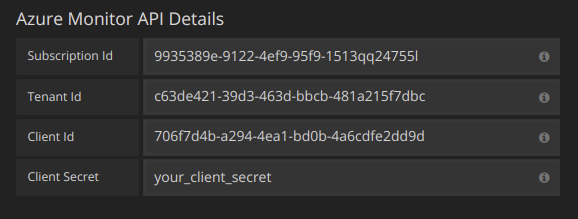
6. If you are also using the Azure Log Analytics service, then you need to specify these two config values (or you can reuse the Client Id and Secret from the previous step).
- Client Id (Azure Active Directory -> App Registrations -> Choose your app -> Application ID)
- Client Secret ( Azure Active Directory -> App Registrations -> Choose your app -> Keys -> Create a key -> Use client secret)
7. If you are are using Application Insights, then you need two pieces of information from the Azure Portal (see link above for detailed instructions):
- Application ID
- API Key
8. Paste these two items into the appropriate fields in the Application Insights API Details section:<br/>
9. Test that the configuration details are correct by clicking on the "Save & Test" button:<br/>
Alternatively on step 4 if creating a new Azure Active Directory App, use the [Azure CLI](https://docs.microsoft.com/en-us/cli/azure/?view=azure-cli-latest):
```bash
az ad sp create-for-rbac -n "http://localhost:3000"
```
## Choose a Service
In the query editor for a panel, after choosing your Azure Monitor datasource, the first option is to choose a service. There are three options here: Azure Monitor, Application Insights and Azure Log Analytics. The query editor will change depending on which one you pick. Azure Monitor is the default.
## Querying the Azure Monitor Service
The Azure Monitor service provides metrics for all the Azure services that you have running. It helps you understand how your applications on Azure are performing and to proactively find issues affecting your applications.
Examples of metrics that you can get from the service are:
- Microsoft.Compute/virtualMachines - Percentage CPU
- Microsoft.Network/networkInterfaces - Bytes sent
- Microsoft.Storage/storageAccounts - Used Capacity
These can be quite long but this formatting can be changed using aliases. In the Legend Format field, the aliases which are defined below can be combined any way you want.
Azure Monitor Examples:
-`dimension: {{dimensionvalue}}`
-`{{resourcegroup}} - {{resourcename}}`
### Alias Patterns for Azure Monitor
-`{{resourcegroup}}` = replaced with the value of the Resource Group
-`{{namespace}}` = replaced with the value of the Namespace (e.g. Microsoft.Compute/virtualMachines)
-`{{resourcename}}` = replaced with the value of the Resource Name
-`{{metric}}` = replaced with metric name (e.g. Percentage CPU)
-`{{dimensionname}}` = replaced with dimension key/label (e.g. blobtype)
-`{{dimensionvalue}}` = replaced with dimension value (e.g. BlockBlob)
### Templating with Variables for the Azure Monitor Service
Instead of hard-coding things like server, application and sensor name in you metric queries you can use variables in their place. Variables are shown as dropdown select boxes at the top of the dashboard. These dropdowns makes it easy to change the data being displayed in your dashboard.
Note that the Azure Monitor service does not support multiple values yet. If you want to visualize multiple time series (for example, metrics for server1 and server2) then you have to add multiple queries to able to view them on the same graph or in the same table.
The Azure Monitor Datasource Plugin provides the following queries you can specify in the `Query` field in the Variable edit view. They allow you to fill a variable's options list.
Checkout the [Templating]({{< relref "reference/templating.md" >}}) documentation for an introduction to the templating feature and the different
types of template variables.
### Azure Monitor Metrics Whitelist
Not all metrics returned by the Azure Monitor API have values. The Grafana datasource has a whitelist to only return metric names if it is possible they might have values. This whitelist is updated regularly as new services and metrics are added to the Azure cloud. You can find the current whitelist [here](https://github.com/grafana/grafana/blob/master/public/app/plugins/datasource/grafana-azure-monitor-datasource/azure_monitor/supported_namespaces.ts).
### Azure Monitor Alerting
Grafana alerting is supported for the Azure Monitor service. This is not Azure Alerts support. Read more about how alerting in Grafana works [here]({{< relref "alerting/rules.md" >}}).
Queries are written in the new [Azure Log Analytics (or KustoDB) Query Language](https://docs.loganalytics.io/index). A Log Analytics Query can be formatted as Time Series data or as Table data.
Time Series queries are for the Graph Panel (and other panels like the Single Stat panel) and must contain a datetime column, a metric name column and a value column. Here is an example query that returns the aggregated count grouped by the Category column and grouped by hour:
```
AzureActivity
| where $__timeFilter(TimeGenerated)
| summarize count() by Category, bin(TimeGenerated, 1h)
| order by TimeGenerated asc
```
Table queries are mainly used in the Table panel and row a list of columns and rows. This example query returns rows with the 6 specified columns:
`datetimeColumn ≤ datetime(2018-06-05T20:09:58.907Z)` where the from and to datetimes are from the Grafana time picker.
-`$__escapeMulti($myVar)` - is to be used with multi-value template variables that contains illegal characters. If $myVar has the value `'\\grafana-vm\Network(eth0)\Total','\\hello!'`, it expands to: `@'\\grafana-vm\Network(eth0)\Total', @'\\hello!'`. If using single value variables there no need for this macro, simply escape the variable inline instead - `@'\$myVar'`
-`$__contains(colName, $myVar)` - is to be used with multi-value template variables. If $myVar has the value `'value1','value2'`, it expands to: `colName in ('value1','value2')`.
If using the `All` option, then check the `Include All Option` checkbox and in the `Custom all value` field type in the following value: `all`. If $myVar has value `all` then the macro will instead expand to `1 == 1`. For template variables with a lot of options, this will increase the query performance by not building a large where..in clause.
### Azure Log Analytics Builtin Variables
There are also some Grafana variables that can be used in Azure Log Analytics queries:
-`$__from` - Returns the From datetime from the Grafana picker. Example: `datetime(2018-06-05T18:09:58.907Z)`.
-`$__to` - Returns the From datetime from the Grafana picker. Example: `datetime(2018-06-05T20:09:58.907Z)`.
-`$__interval` - Grafana calculates the minimum time grain that can be used to group by time in queries. More details on how it works [here]({{< relref "reference/templating.md#interval-variables" >}}). It returns a time grain like `5m` or `1h` that can be used in the bin function. E.g. `summarize count() by bin(TimeGenerated, $__interval)`
### Azure Log Analytics Alerting
Not implemented yet.
### Writing Analytics Queries For the Application Insights Service
If you change the service type to "Application Insights", the menu icon to the right adds another option, "Toggle Edit Mode". Once clicked, the query edit mode changes to give you a full text area in which to write log analytics queries. (This is identical to how the InfluxDB datasource lets you write raw queries.)
Once a query is written, the column names are automatically parsed out of the response data. You can then select them in the "X-axis", "Y-axis", and "Split On" dropdown menus, or just type them out.
There are some important caveats to remember:
- You'll want to order your y-axis in the query, eg. `order by timestamp asc`. The graph may come out looking bizarre otherwise. It's better to have Microsoft sort it on their side where it's faster, than to implement this in the plugin.
- If you copy a log analytics query, typically they'll end with a render instruction, like `render barchart`. This is unnecessary, but harmless.
- Currently, four default dashboard variables are supported: `$__timeFilter()`, `$__from`, `$__to`, and `$__interval`. If you're searching in timestamped data, replace the beginning of your where clause to `where $__timeFilter()`. Dashboard changes by time region are handled as you'd expect, as long as you leave the name of the `timestamp` column alone. Likewise, `$__interval` will automatically change based on the dashboard's time region _and_ the width of the chart being displayed. Use it in bins, so `bin(timestamp,$__interval)` changes into something like `bin(timestamp,1s)`. Use `$__from` and `$__to` if you just want the formatted dates to be inserted.
- Templated dashboard variables are not yet supported! They will come in a future version.
Currently all access to CloudWatch is done server side by the Grafana backend using the official AWS SDK. If you grafana
Currently all access to CloudWatch is done server side by the Grafana backend using the official AWS SDK. If your Grafana
server is running on AWS you can use IAM Roles and authentication will be handled automatically.
Checkout AWS docs on [IAM Roles](http://docs.aws.amazon.com/AWSEC2/latest/UserGuide/iam-roles-for-amazon-ec2.html)
@@ -74,6 +74,12 @@ Here is a minimal policy example:
"ec2:DescribeRegions"
],
"Resource":"*"
},
{
"Sid":"AllowReadingResourcesForTags",
"Effect":"Allow",
"Action":"tag:GetResources",
"Resource":"*"
}
]
}
@@ -99,6 +105,14 @@ region = us-west-2
You need to specify a namespace, metric, at least one stat, and at least one dimension.
## Metric Math
You can now create new time series metrics by operating on top of Cloudwatch metrics using mathematical functions. Arithmetic operators, unary subtraction and other functions are supported to be applied on cloudwatch metrics. More details on the available functions can be found on [AWS Metric Math](https://docs.aws.amazon.com/AmazonCloudWatch/latest/monitoring/using-metric-math.html)
As an example, if you want to apply arithmetic operator on a metric, you can do it by giving an alias(a unique string) to the raw metric as shown below. Then you can use this alias and apply arithmetic operator to it in the Expression field of created metric.

## Templated queries
Instead of hard-coding things like server, application and sensor name in you metric queries you can use variables in their place.
@@ -128,6 +142,7 @@ Name | Description
*dimension_values(region, namespace, metric, dimension_key, [filters])* | Returns a list of dimension values matching the specified `region`, `namespace`, `metric`, `dimension_key` or you can use dimension `filters` to get more specific result as well.
*ebs_volume_ids(region, instance_id)* | Returns a list of volume ids matching the specified `region`, `instance_id`.
*ec2_instance_attribute(region, attribute_name, filters)* | Returns a list of attributes matching the specified `region`, `attribute_name`, `filters`.
*resource_arns(region, resource_type, tags)* | Returns a list of ARNs matching the specified `region`, `resource_type` and `tags`.
For details about the metrics CloudWatch provides, please refer to the [CloudWatch documentation](https://docs.aws.amazon.com/AmazonCloudWatch/latest/DeveloperGuide/CW_Support_For_AWS.html).
Grafana supports many different storage backends for your time series data (Data Source). Each Data Source has a specific Query Editor that is customized for the features and capabilities that the particular Data Source exposes.
## Querying
The query language and capabilities of each Data Source are obviously very different. You can combine data from multiple Data Sources onto a single Dashboard, but each Panel is tied to a specific Data Source that belongs to a particular Organization.
@@ -23,14 +22,18 @@ The query language and capabilities of each Data Source are obviously very diffe
The following datasources are officially supported:
> BETA: Querying Loki data requires Grafana's Explore section.
> Grafana v6.x comes with Explore enabled by default.
> In Grafana v5.3.x and v5.4.x. you need to enable Explore manually.
> Viewing Loki data in dashboard panels is not supported yet, but is being worked on.
Grafana ships with built-in support for Loki, Grafana's log aggregation system.
Just add it as a datasource and you are ready to query your log data in [Explore](/features/explore).
## Adding the data source to Grafana
1. Open Grafana and make sure you are logged in.
2. In the side menu under the `Configuration` link you should find a link named `Data Sources`.
3. Click the `Add data source` button at the top.
4. Select `Loki` from the list of data sources.
> NOTE: If you're not seeing the `Data Sources` link in your side menu it means that your current user does not have the `Admin` role for the current organization.
| _Name_ | The datasource name. This is how you refer to the datasource in panels, queries, and Explore. |
| _Default_ | Default datasource means that it will be pre-selected for new panels. |
| _URL_ | The URL of the Loki instance, e.g., `http://localhost:3100` |
| _Maximum lines_ | Upper limit for number of log lines returned by Loki (default is 1000). Decrease if your browser is sluggish when displaying logs in Explore. |
## Querying Logs
Querying and displaying log data from Loki is available via [Explore](/features/explore).
Select the Loki data source, and then enter a log query to display your logs.
> Viewing Loki data in dashboard panels is not supported yet, but is being worked on.
### Log Queries
A log query consists of two parts: **log stream selector**, and a **search expression**. For performance reasons you need to start by choosing a log stream by selecting a log label.
The Logs Explorer (the `Log labels` button) next to the query field shows a list of labels of available log streams. An alternative way to write a query is to use the query field's autocomplete - you start by typing a left curly brace `{` and the autocomplete menu will suggest a list of labels. Press the `enter` key to execute the query.
Once the result is returned, the log panel shows a list of log rows and a bar chart where the x-axis shows the time and the y-axis shows the frequency/count.
For the label part of the query expression, wrap it in curly braces `{}` and then use the key value syntax for selecting labels. Multiple label expressions are separated by a comma:
`{app="mysql",name="mysql-backup"}`
The following label matching operators are currently supported:
*`=` exactly equal.
*`!=` not equal.
*`=~` regex-match.
*`!~` do not regex-match.
Examples:
*`{name=~"mysql.+"}`
*`{name!~"mysql.+"}`
The [same rules that apply for Prometheus Label Selectors](https://prometheus.io/docs/prometheus/latest/querying/basics/#instant-vector-selectors) apply for Loki Log Stream Selectors.
Another way to add a label selector, is in the table section, clicking on the **Filter** button beside a label will add the label to the query expression. This even works for multiple queries and will the label selector to each query.
### Search Expression
After writing the Log Stream Selector, you can filter the results further by writing a search expression. The search expression can be just text or a regex expression.
You can set up the datasource via config files with Grafana's provisioning system.
You can read more about how it works and all the settings you can set for datasources on the [provisioning docs page](/administration/provisioning/#datasources)
*$__unixEpochFilter(dateColumn)* | Will be replaced by a time range filter using the specified column name with times represented as unix timestamp. For example, *dateColumn > 1494410783 AND dateColumn < 1494497183*
*$__unixEpochFrom()* | Will be replaced by the start of the currently active time selection as unix timestamp. For example, *1494410783*
*$__unixEpochTo()* | Will be replaced by the end of the currently active time selection as unix timestamp. For example, *1494497183*
*$__unixEpochNanoFilter(dateColumn)* | Will be replaced by a time range filter using the specified column name with times represented as nanosecond timestamp. For example, *dateColumn > 1494410783152415214 AND dateColumn < 1494497183142514872*
*$__unixEpochNanoFrom()* | Will be replaced by the start of the currently active time selection as nanosecond timestamp. For example, *1494410783152415214*
*$__unixEpochNanoTo()* | Will be replaced by the end of the currently active time selection as nanosecond timestamp. For example, *1494497183142514872*
*$__unixEpochGroup(dateColumn,'5m', [fillmode])* | Same as $__timeGroup but for times stored as unix timestamp (only available in Grafana 5.3+).
*$__unixEpochGroupAlias(dateColumn,'5m', [fillmode])* | Same as above but also adds a column alias (only available in Grafana 5.3+).
*$__unixEpochFilter(dateColumn)* | Will be replaced by a time range filter using the specified column name with times represented as unix timestamp. For example, *dateColumn > 1494410783 AND dateColumn < 1494497183*
*$__unixEpochFrom()* | Will be replaced by the start of the currently active time selection as unix timestamp. For example, *1494410783*
*$__unixEpochTo()* | Will be replaced by the end of the currently active time selection as unix timestamp. For example, *1494497183*
*$__unixEpochNanoFilter(dateColumn)* | Will be replaced by a time range filter using the specified column name with times represented as nanosecond timestamp. For example, *dateColumn > 1494410783152415214 AND dateColumn < 1494497183142514872*
*$__unixEpochNanoFrom()* | Will be replaced by the start of the currently active time selection as nanosecond timestamp. For example, *1494410783152415214*
*$__unixEpochNanoTo()* | Will be replaced by the end of the currently active time selection as nanosecond timestamp. For example, *1494497183142514872*
*$__unixEpochGroup(dateColumn,'5m', [fillmode])* | Same as $__timeGroup but for times stored as unix timestamp (only available in Grafana 5.3+).
*$__unixEpochGroupAlias(dateColumn,'5m', [fillmode])* | Same as above but also adds a column alias (only available in Grafana 5.3+).
*$__unixEpochFilter(dateColumn)* | Will be replaced by a time range filter using the specified column name with times represented as unix timestamps. For example, *dateColumn >= 1494410783 AND dateColumn <= 1494497183*
*$__unixEpochFrom()* | Will be replaced by the start of the currently active time selection as unix timestamp. For example, *1494410783*
*$__unixEpochTo()* | Will be replaced by the end of the currently active time selection as unix timestamp. For example, *1494497183*
*$__unixEpochNanoFilter(dateColumn)* | Will be replaced by a time range filter using the specified column name with times represented as nanosecond timestamps. For example, *dateColumn >= 1494410783152415214 AND dateColumn <= 1494497183142514872*
*$__unixEpochNanoFrom()* | Will be replaced by the start of the currently active time selection as nanosecond timestamp. For example, *1494410783152415214*
*$__unixEpochNanoTo()* | Will be replaced by the end of the currently active time selection as unix timestamp. For example, *1494497183142514872*
*$__unixEpochGroup(dateColumn,'5m', [fillmode])* | Same as $__timeGroup, but for times stored as unix timestamp (only available in Grafana 5.3+).
*$__unixEpochGroupAlias(dateColumn,'5m', [fillmode])* | Same as above, but also adds a column alias (only available in Grafana 5.3+).
@@ -19,22 +19,22 @@ Grafana includes built-in support for Prometheus.
1. Open the side menu by clicking the Grafana icon in the top header.
2. In the side menu under the `Dashboards` link you should find a link named `Data Sources`.
3. Click the `+ Add data source` button in the top header.
4. Select `Prometheus` from the *Type* dropdown.
4. Select `Prometheus` from the _Type_ dropdown.
> NOTE: If you're not seeing the `Data Sources` link in your side menu it means that your current user does not have the `Admin` role for the current organization.
## Data source options
Name | Description
------------ | -------------
*Name* | The data source name. This is how you refer to the data source in panels & queries.
*Default* | Default data source means that it will be pre-selected for new panels.
*Url* | The http protocol, ip and port of you Prometheus server (default port is usually 9090)
*Access* | Server (default) = URL needs to be accessible from the Grafana backend/server, Browser = URL needs to be accessible from the browser.
*Basic Auth* | Enable basic authentication to the Prometheus data source.
*User* | Name of your Prometheus user
*Password* | Database user's password
*Scrape interval* | This will be used as a lower limit for the Prometheus step query parameter. Default value is 15s.
*Query expression* | Prometheus query expression, check out the [Prometheus documentation](http://prometheus.io/docs/querying/basics/).
*Legend format* | Controls the name of the time series, using name or pattern. For example `{{hostname}}` will be replaced with label value for the label `hostname`.
*Min step* | Set a lower limit for the Prometheus step option. Step controls how big the jumps are when the Prometheus query engine performs range queries. Sadly there is no official prometheus documentation to link to for this very important option.
*Resolution* | Controls the step option. Small steps create high-resolution graphs but can be slow over larger time ranges, lowering the resolution can speed things up. `1/2` will try to set step option to generate 1 data point for every other pixel. A value of `1/10` will try to set step option so there is a data point every 10 pixels.
*Metric lookup* | Search for metric names in this input field.
*Format as* | Switch between Table, Time series or Heatmap. Table format will only work in the Table panel. Heatmap format is suitable for displaying metrics having histogram type on Heatmap panel. Under the hood, it converts cumulative histogram to regular and sorts series by the bucket bound.
| _Query expression_ | Prometheus query expression, check out the [Prometheus documentation](http://prometheus.io/docs/querying/basics/). |
| _Legend format_ | Controls the name of the time series, using name or pattern. For example `{{hostname}}` will be replaced with label value for the label `hostname`. |
| _Min step_ | Set a lower limit for the Prometheus step option. Step controls how big the jumps are when the Prometheus query engine performs range queries. Sadly there is no official prometheus documentation to link to for this very important option. |
| _Resolution_ | Controls the step option. Small steps create high-resolution graphs but can be slow over larger time ranges, lowering the resolution can speed things up. `1/2` will try to set step option to generate 1 data point for every other pixel. A value of `1/10` will try to set step option so there is a data point every 10 pixels. |
| _Metric lookup_ | Search for metric names in this input field. |
| _Format as_ | Switch between Table, Time series or Heatmap. Table format will only work in the Table panel. Heatmap format is suitable for displaying metrics having histogram type on Heatmap panel. Under the hood, it converts cumulative histogram to regular and sorts series by the bucket bound. |
> NOTE: Grafana slightly modifies the request dates for queries to align them with the dynamically calculated step.
> This ensures consistent display of metrics data but can result in a small gap of data at the right edge of a graph.
## Templating
@@ -63,18 +66,18 @@ types of template variables.
### Query variable
Variable of the type *Query* allows you to query Prometheus for a list of metrics, labels or label values. The Prometheus data source plugin
Variable of the type _Query_ allows you to query Prometheus for a list of metrics, labels or label values. The Prometheus data source plugin
provides the following functions you can use in the `Query` input field.
Name | Description
---- | --------
*label_values(label)* | Returns a list of label values for the `label` in every metric.
*label_values(metric, label)* | Returns a list of label values for the `label` in the specified metric.
*metrics(metric)* | Returns a list of metrics matching the specified `metric` regex.
*query_result(query)* | Returns a list of Prometheus query result for the `query`.
For details of *metric names*, *label names* and *label values* are please refer to the [Prometheus documentation](http://prometheus.io/docs/concepts/data_model/#metric-names-and-labels).
| _label_names()_ | Returns a list of label names. |
| _label_values(label)_ | Returns a list of label values for the `label` in every metric. |
| _label_values(metric, label)_ | Returns a list of label values for the `label`in the specified metric. |
| _metrics(metric)_ | Returns a list of metrics matching the specified `metric` regex. |
| _query_result(query)_ | Returns a list of Prometheus query result for the `query`. |
For details of _metric names_, _label names_ and _label values_ are please refer to the [Prometheus documentation](http://prometheus.io/docs/concepts/data_model/#metric-names-and-labels).
Why two ways? The first syntax is easier to read and write but does not allow you to use a variable in the middle of a word. When the *Multi-value* or *Include all value*
Why two ways? The first syntax is easier to read and write but does not allow you to use a variable in the middle of a word. When the _Multi-value_ or _Include all value_
options are enabled, Grafana converts the labels from plain text to a regex compatible string. Which means you have to use `=~` instead of `=`.
> The datasource is currently a beta feature and is subject to change.
> Available as a beta feature in Grafana v5.3.x and v5.4.x.
> Officially released in Grafana v6.0.0
Grafana ships with built-in support for Google Stackdriver. Just add it as a datasource and you are ready to build dashboards for your Stackdriver metrics.
@@ -66,7 +66,7 @@ Click on the links above and click the `Enable` button:
4. Some new fields will appear. Fill in a name for the service account in the `Service account name` field and then choose the `Monitoring Viewer` role from the `Role` dropdown:
5. Click the Create button. A JSON key file will be created and downloaded to your computer. Store this file in a secure place as it allows access to your Stackdriver data.
6. Upload it to Grafana on the datasource Configuration page. You can either upload the file or paste in the contents of the file.
@@ -156,7 +156,7 @@ Example Alias By: `{{metric.type}} - {{metric.labels.instance_name}}`
Example Result: `compute.googleapis.com/instance/cpu/usage_time - server1-prod`
It is also possible to resolve the name of the Monitored Resource Type.
It is also possible to resolve the name of the Monitored Resource Type.
| Alias Pattern Format | Description | Example Result |
> Explore is only available in Grafana 6.0 and above.
## Introduction
One of the major new features of Grafana 6.0 is the new query-focused Explore workflow for troubleshooting and/or for data exploration.
Grafana's dashboard UI is all about building dashboards for visualization. Explore strips away all the dashboard and panel options so that you can focus on the query. Iterate until you have a working query and then think about building a dashboard.
For infrastructure monitoring and incident response, you no longer need to switch to other tools to debug what went wrong. Explore allows you to dig deeper into your metrics and logs to find the cause. Grafana's new logging datasource, [Loki](https://github.com/grafana/loki) is tightly integrated into Explore and allows you to correlate metrics and logs by viewing them side-by-side. This creates a new debugging workflow where you can:
1. Receive an alert
2. Drill down and examine metrics
3. Drill down again and search logs related to the metric and time interval (and in the future, distributed traces).
If you just want to explore your data and do not want to create a dashboard then Explore makes this much easier. Explore will show the results as both a graph and a table enabling you to see trends in the data and more detail at the same time (if the datasource supports both graph and table data).
## How to Start Exploring
There is a new Explore icon on the menu bar to the left. This opens a new empty Explore tab.
{{< docs-imagebox img="/img/docs/v60/explore_menu.png" class="docs-image--no-shadow" caption="Screenshot of the new Explore Icon" >}}
If you want to start with an existing query in a panel then choose the Explore option from the Panel menu. This opens an Explore tab with the query from the panel and allows you to tweak or iterate in the query outside of your dashboard.
{{< docs-imagebox img="/img/docs/v60/explore_panel_menu.png" class="docs-image--no-shadow" caption="Screenshot of the new Explore option in the panel menu" >}}
Choose your datasource in the dropdown in the top left. Prometheus has a custom Explore implementation, the other datasources (for now) use their standard query editor.
The query field is where you can write your query and explore your data. There are three buttons beside the query field, a clear button (X), an add query button (+) and the remove query button (-). Just like the normal query editor, you can add and remove multiple queries.
## Split and Compare
The Split feature is an easy way to compare graphs and tables side-by-side or to look at related data together on one page. Click the split button to duplicate the current query and split the page into two side-by-side queries. It is possible to select another datasource for the new query which for example, allows you to compare the same query for two different servers or to compare the staging environment to the production environment.
{{< docs-imagebox img="/img/docs/v60/explore_split.png" class="docs-image--no-shadow" caption="Screenshot of the new Explore option in the panel menu" >}}
You can close the newly created query by clicking on the Close Split button.
## Prometheus-specific Features
The first version of Explore features a custom querying experience for Prometheus. When a query is executed, it actually executes two queries, a normal Prometheus query for the graph and an Instant Query for the table. An Instant Query returns the last value for each time series which shows a good summary of the data shown in the graph.
### Metrics Explorer
On the left-hand side of the query field is a `Metrics` button, clicking on this opens the Metric Explorer. This shows a hierarchical menu with metrics grouped by their prefix. For example, all the Alert Manager metrics will be grouped under the `alertmanager` prefix. This is a good starting point if you just want to explore which metrics are available.
{{< docs-imagebox img="/img/docs/v60/explore_metric_explorer.png" class="docs-image--no-shadow" caption="Screenshot of the new Explore option in the panel menu" >}}
### Query Field
The Query field supports autocomplete for metric names, function and works mostly the same way as the standard Prometheus query editor. Press the enter key to execute a query.
The autocomplete menu can be trigger by pressing Ctrl + Space. The Autocomplete menu contains a new History section with a list of recently executed queries.
Suggestions can appear under the query field - click on them to update your query with the suggested change.
* For counters (monotonously increasing metrics), a rate function will be suggested.
* For buckets, a histogram function will be suggested.
* For recording rules, possible to expand the rules.
### Table Filters
Click on the filter button <span title="Filter for label" class="logs-label__icon fa fa-search-plus"></span> in a labels column in the Table panel to add filters to the query expression. This works with multiple queries too - the filter will be added for all the queries.
## Logs Integration - Loki-specific Features
For Grafana 6.0, the first log integration is for the new open source log aggregation system from Grafana Labs - [Loki](https://github.com/grafana/loki). Loki is designed to be very cost effective, as it does not index the contents of the logs, but rather a set of labels for each log stream. The logs from Loki are queried in a similar way to querying with label selectors in Prometheus. It uses labels to group log streams which can be made to match up with your Prometheus labels. Read more about Grafana Loki [here](https://github.com/grafana/loki) or the Grafana Labs hosted variant: [Grafana Cloud Logs](https://grafana.com/loki).
See the [Loki's data source documentation](../datasources/loki) on how to query for log data.
### Switching from Metrics to Logs
If you switch from a Prometheus query to a logs query (you can do a split first to have your metrics and logs side by side) then it will keep the labels from your query that exist in the logs and use those to query the log streams. For example, the following Prometheus query:
`grafana_alerting_active_alerts{job="grafana"}`
after switching to the Logs datasource, the query changes to:
`{job="grafana"}`
This will return a chunk of logs in the selected time range that can be grepped/text searched.
### Deduping
Log data can be very repetitive and Explore can help by hiding duplicate log lines. There are a few different deduplication algorithms that you can use:
*`exact` Exact matches are done on the whole line, except for date fields.
*`numbers` Matches on the line after stripping out numbers (durations, IP addresses etc.).
*`signature` The most aggressive deduping - strips all letters and numbers, and matches on the remaining whitespace and punctuation.
### Timestamp, Local time and Labels
There are some other check boxes under the logging graph apart from the Deduping options.
Grafana v5.3 ships with built-in support for [Google Stackdriver](https://cloud.google.com/stackdriver/) and enables you to visualize your Stackdriver metrics in Grafana.
Grafana v5.3 ships with built-in support for [Google Stackdriver](https://cloud.google.com/stackdriver/) and enables you to visualize your Stackdriver metrics in Grafana.
Getting started with the plugin is easy. Simply create a GCE Service account that has access to the Stackdriver API scope, download the Service Account key file from Google and upload it on the Stackdriver datasource config page in Grafana and you should have a secure server-to-server authentication setup. Like other core plugins, Stackdriver has built-in support for alerting. It also comes with support for heatmaps and basic variables.
Grafana v5.4 ships with a new alert rule setting named `For` which is great for removing false positives. If an alert rule has a configured `For` and the query violates the configured threshold it will first go from `OK` to `Pending`. Going from `OK` to `Pending` Grafana will not send any notifications. Once the alert rule has been firing for more than `For` duration, it will change to `Alerting` and send alert notifications. Typically, it's always a good idea to use this setting since it's often worse to get false positive than wait a few minutes before the alert notification triggers.
In the screenshot you can see an example timeline of an alert using the `For` setting. At ~16:04 the alert state changes to `Pending` and after 4 minutes it changes to `Alerting` which is when alert notifications are sent. Once the series falls back to normal the alert rule goes back to `OK`. [Learn more](/alerting/rules/#for).
Additionally, there's now support for disable the sending of `OK` alert notifications. [Learn more](/alerting/notifications/#disable-resolve-message).
Grafana v5.3 included built-in support for [Google Stackdriver](https://cloud.google.com/stackdriver/) which enables you to visualize your Stackdriver metrics in Grafana.
One important feature missing was support for templating queries. This is now included together with a brand new templating query editor for Stackdriver.
The Stackdriver templating query editor lets you choose from a set of different Query Types. This will in turn reveal additional drop downs to help you
find, filter and select the templating values you're interested in, see screenshot for details. The templating query editor also supports chaining multiple variables
making it easy to define variables that's dependent on other variables.
Stackdriver is the first datasource which has support for a custom templating query editor. But starting from Grafana v5.4 it's now possible for all datasources, including plugin datasources, to
create their very own templating query editor.
Additionally, if Grafana is running on a Google Compute Engine (GCE) virtual machine, it is now possible for Grafana to automatically retrieve default credentials from the metadata server.
This has the advantage of not needing to generate a private key file for the service account and also not having to upload the file to Grafana. [Learn more](/features/datasources/stackdriver/#using-gce-default-service-account).
Please read [Using Google Stackdriver in Grafana](/features/datasources/stackdriver/) for more detailed information on how to get started and use it.
<div class="clearfix"></div>
## MySQL Query Builder
Grafana v5.4 comes with a new graphical query builder for MySQL. This brings MySQL integration more in line with some of the other datasources and makes it easier for both advanced users and beginners to work with timeseries in MySQL. Learn more about it in the [documentation](/features/datasources/mysql/#query-editor).
Grafana v5.4 adds support for highlighting weekdays and/or certain timespans in the graph panel. This should make it easier to compare for example weekends, business hours and/or off work hours.
Additionally, when rendering series as lines in the graph panel, should there be only one data point available for one series so that a connecting line cannot be established, a point will
automatically be rendered for that data point. This should make it easier to understand what's going on when only receiving a single data point.
Grafana v5.4 adds support for customizing home dashboard, timezone and theme for teams, in addition to the existing customization on Organization and user Profile level.
1. Specifying a preference on User Profile level will override preference on Team and/or Organization level
2. Specifying a preference on Team level will override preference on Organization level.
## Changelog
Checkout the [CHANGELOG.md](https://github.com/grafana/grafana/blob/master/CHANGELOG.md) file for a complete list
and enables easy switching between different visualizations.
- [Google Stackdriver Datasource]({{< relref "#google-stackdriver-datasource" >}}) is out of beta and is officially released.
- [Azure Monitor]({{< relref "#azure-monitor-datasource" >}}) plugin is ported from being an external plugin to being a core datasource
- [React Plugin]({{< relref "#react-panels-query-editors" >}}) support enables an easier way to build plugins.
- [Named Colors]({{< relref "#named-colors" >}}) in our new improved color picker.
- [Removal of user session storage]({{< relref "#easier-to-deploy-improved-security" >}}) makes Grafana easier to deploy and improves security.
## Explore
{{< docs-imagebox img="/img/docs/v60/explore_prometheus.png" max-width="800px" class="docs-image--right" caption="Screenshot of the new Explore option in the panel menu" >}}
Grafana's dashboard UI is all about building dashboards for visualization. **Explore** strips away all the dashboard and panel options so that you can focus on the query and metric exploration. Iterate until you have a working query and then think about building a dashboard. You can also jump from a dashboard panel into **Explore** and from there do some ad-hoc query exporation with the panel queries as a starting point.
For infrastructure monitoring and incident response, you no longer need to switch to other tools to debug what went wrong. **Explore** allows you to dig deeper into your metrics and logs to find the cause. Grafana's new logging datasource, [Loki](https://github.com/grafana/loki) is tightly integrated into Explore and allows you to correlate metrics and logs by viewing them side-by-side.
**Explore** is a new paradigm for Grafana. It creates a new interactive debugging workflow that integrates two pillars
of observability—metrics and logs. Explore works with every datasource but for Prometheus we have customized the
query editor and the experience to provide the best possible exploration UX.
### Explore and Prometheus
Explore features a new [Prometheus query editor](/features/explore/#prometheus-specific-features). This new editor has improved autocomplete, metric tree selector,
integrations with the Explore table view for easy label filtering, and useful query hints that can automatically apply
functions to your query. There is also integration between Prometheus and Grafana Loki (see more about Loki below) that
enabled jumping between metrics query and logs query with preserved label filters.
### Explore splits
Explore supports splitting the view so you can compare different queries, different datasources and metrics & logs side by side!
{{< docs-imagebox img="/img/docs/v60/explore_split.png" max-width="800px" caption="Screenshot of the new Explore option in the panel menu" >}}
<br />
### Explore and Grafana Loki
The log exploration & visualization features in Explore are available to any data source but are currently only implemented by the new open source log
aggregation system from Grafana Lab called [Grafana Loki](https://github.com/grafana/loki).
Loki is a horizontally-scalable, highly-available, multi-tenant log aggregation system inspired by Prometheus. It is designed to be very cost effective, as it does not index the contents of the logs, but rather a set of labels for each log stream. The logs from Loki are queried in a similar way to querying with label selectors in Prometheus. It uses labels to group log streams which can be made to match up with your Prometheus labels.
Read more about Grafana Loki [here](https://github.com/grafana/loki) or [Grafana Labs hosted Loki](https://grafana.com/loki).
The Explore feature allows you to query logs and features a new log panel. In the near future, we will be adding support
for other log sources to Explore and the next planned integration is Elasticsearch.
Built-in support for [Google Stackdriver](https://cloud.google.com/stackdriver/) is officially released in Grafana 6.0. Beta support was added in Grafana 5.3 and we have added lots of improvements since then.
To get started read the guide: [Using Google Stackdriver in Grafana](/features/datasources/stackdriver/).
## Azure Monitor Datasource
One of the goals of the Grafana v6.0 release is to add support for the three major clouds. Amazon CloudWatch has been a core datasource for years and Google Stackdriver is also now supported. We developed an external plugin for Azure Monitor last year and for this release the [plugin](https://grafana.com/plugins/grafana-azure-monitor-datasource) is being moved into Grafana to be one of the built-in datasources. For users of the external plugin, Grafana will automatically start using the built-in version. As a core datasource, the Azure Monitor datasource is able to get alerting support, in the 6.0 release alerting is supported for the Azure Monitor service, with the rest to follow.
The Azure Monitor datasource integrates four Azure services with Grafana - Azure Monitor, Azure Log Analytics, Azure Application Insights and Azure Application Insights Analytics.
Please read [Using Azure Monitor in Grafana documentation](/features/datasources/azuremonitor/) for more detailed information on how to get started and use it.
## Provisioning support for alert notifiers
Grafana now has support for provisioning alert notifiers from configuration files, allowing operators to provision notifiers without using the UI or the API. A new field called `uid` has been introduced which is a string identifier that the administrator can set themselves. This is the same kind of identifier used for dashboards since v5.0. This feature makes it possible to use the same notifier configuration in multiple environments and refer to notifiers in dashboard json by a string identifier instead of the numeric id which depends on insert order and how many notifiers exist in the instance.
## Easier to deploy & improved security
Grafana 6.0 removes the need to configure and set up additional storage for [user sessions](/tutorials/ha_setup/#user-sessions). This should make it easier to deploy and operate Grafana in a
high availability setup and/or if you're using a stateless user session store like Redis, Memcache, Postgres or MySQL.
Instead of user sessions, we've implemented a solution based on short-lived tokens that are rotated frequently. This also replaces the old "remember me cookie"
solution, which allowed a user to be logged in between browser sessions and which have been subject to several security holes throughout the years.
Read more about the short-lived token solution and how to configure it [here](/auth/overview/#login-and-short-lived-tokens).
> Please note that due to these changes, all users will be required to login upon next visit after upgrade.
Besides these changes we have also made security improvements regarding Cross-Site Request Forgery (CSRF) and Cross-site Scripting (XSS) vulnerabilities:
* Cookies are per default using the [SameSite](/installation/configuration/#cookie-samesite) attribute to protect against CSRF attacks
* Script tags in text panels are per default [disabled](/installation/configuration/#disable-sanitize-html) to protect against XSS attacks
> If you're using [Auth Proxy Authentication](/auth/auth-proxy/) you still need to have user sessions set up and configured
but our goal is to remove this requirement in the near future.
We have updated the color picker to show named colors and primary colors. We hope this will improve accessibility and
helps making colors more consistent across dashboards. We hope to do more in this color picker in the future, like showing
colors used in the dashboard.
Named colors also enables Grafana to adapt colors to the current theme.
<div class="clearfix"></div>
## Other features
- The ElasticSearch datasource now supports [bucket script pipeline aggregations](https://www.elastic.co/guide/en/elasticsearch/reference/current/search-aggregations-pipeline-bucket-script-aggregation.html). This gives the ability to do per-bucket computations like the difference or ratio between two metrics.
- Support for Google Hangouts Chat alert notifications
- New built in template variables for the current time range in `$__from` and `$__to`
## Upgrading
See [upgrade notes](/installation/upgrading/#upgrading-to-v6-0).
## Changelog
Checkout the [CHANGELOG.md](https://github.com/grafana/grafana/blob/master/CHANGELOG.md) file for a complete list of new features, changes, and bug fixes.
{{< imgbox max-width="30%" img="/img/docs/v61/prometheus-ad-hoc.gif" caption="Ad-hoc filters variable for Prometheus" >}}
The ad hoc filter feature allows you to create new key/value filters on the fly with autocomplete for both key and values. The filter condition is then automatically applied to all queries on the dashboard. This makes it easier to explore your data in a dashboard without changing queries and without having to add new template variables.
Other timeseries databases with label-based query languages have had this feature for a while. Recently Prometheus added support for fetching label names from their API and thanks to [Mitsuhiro Tanda](https://github.com/mtanda) implementing it in Grafana, the Prometheus datasource finally supports ad hoc filtering.
Support for fetching a list of label names was released in Prometheus v2.6.0 so that is a requirement for this feature to work in Grafana.
### Permissions: Editors can own dashboards, folders and teams they create
When the dashboard folders feature and permissions system was released in Grafana 5.0, users with the editor role were not allowed to administrate dashboards, folders or teams. In the 6.1 release, we have added a config option so that by default editors are admins for any Dashboard, Folder or Team they create.
This feature also adds a new Team permission that can be assigned to any user with the editor or viewer role and lets that user add other users to the Team.
We believe that this is more in line with the Grafana philosophy, as it will allow teams to be more self-organizing. This option will be made permanent if it gets positive feedback from the community so let us know what you think in the [issue on GitHub](https://github.com/grafana/grafana/issues/15590).
To turn this feature on add the following [config option](/installation/configuration/#editors-can-admin) to your Grafana ini file in the `users` section and then restart the Grafana server:
```ini
[users]
editors_can_admin=true
```
### Minor Features and Fixes
This release contains a lot of small features and fixes:
- A new keyboard shortcut `d l` toggles all Graph legends in a dashboard.
- A small bug fix for Elasticsearch - template variables in the alias field now work properly.
- Some new capabilities have been added for datasource plugins that will be of interest to plugin authors:
- a new oauth pass-through option.
- it is now possible to add user details to requests sent to the dataproxy.
- Heatmap and Explore fixes.
Checkout the [CHANGELOG.md](https://github.com/grafana/grafana/blob/master/CHANGELOG.md) file for a complete list of new features, changes, and bug fixes.
A huge thanks to our community for all the reported issues, bug fixes and feedback.
Return a list of all auth tokens (devices) that the user currently have logged in from.
Only works with Basic Authentication (username and password). See [introduction](http://docs.grafana.org/http_api/admin/#admin-api) for an explanation.
**Example Request**:
```http
GET/api/admin/users/1/auth-tokensHTTP/1.1
Accept:application/json
Content-Type:application/json
```
**Example Response**:
```http
HTTP/1.1200
Content-Type:application/json
```
## Revoke auth token for User
`POST /api/admin/users/:id/revoke-auth-token`
Revokes the given auth token (device) for the user. User of issued auth token (device) will no longer be logged in
and will be required to authenticate again upon next activity.
Only works with Basic Authentication (username and password). See [introduction](http://docs.grafana.org/http_api/admin/#admin-api) for an explanation.
**Example Request**:
```http
POST/api/admin/users/1/revoke-auth-tokenHTTP/1.1
Accept:application/json
Content-Type:application/json
```
**Example Response**:
```http
HTTP/1.1200
Content-Type:application/json
```
## Logout User
`POST /api/admin/users/:id/logout`
Logout user revokes all auth tokens (devices) for the user. User of issued auth tokens (devices) will no longer be logged in
and will be required to authenticate again upon next activity.
Only works with Basic Authentication (username and password). See [introduction](http://docs.grafana.org/http_api/admin/#admin-api) for an explanation.
**Example Request**:
```http
POST/api/admin/users/1/logoutHTTP/1.1
Accept:application/json
Content-Type:application/json
```
**Example Response**:
```http
HTTP/1.1200
Content-Type:application/json
```
HTTP/1.1 200
Content-Type: application/json
{
"message": "User auth token revoked"
}
```
## Logout User
`POST /api/admin/users/:id/logout`
Logout user revokes all auth tokens (devices) for the user. User of issued auth tokens (devices) will no longer be logged in
and will be required to authenticate again upon next activity.
Only works with Basic Authentication (username and password). See [introduction](http://docs.grafana.org/http_api/admin/#admin-api) for an explanation.
@@ -97,7 +97,7 @@ Creates an annotation in the Grafana database. The `dashboardId` and `panelId` f
## Update Annotation
Content-Type:application/json
`PUT /api/annotations/:id`
Updates all properties of an annotation that matches the specified id. To only update certain property, consider using the [Patch Annotation](#patch-annotation) operation.
Deletes the annotation that matches the specified region id. A region is an annotation that covers a timerange and has a start and end time. In the Grafana database, this is a stored as two annotations connected by a region id.
## Delete Annotation By RegionId
`DELETE /api/annotations/region/:id`
Deletes the annotation that matches the specified region id. A region is an annotation that covers a timerange and has a start and end time. In the Grafana database, this is a stored as two annotations connected by a region id.
Updates one or more properties of an annotation that matches the specified id.
This operation currently supports updating of the `text`, `tags`, `time` and `timeEnd` properties. It does not handle updating of the `isRegion` and `regionId` properties. To make an annotation regional or vice versa, consider using the [Update Annotation](#update-annotation) operation.
Some files were not shown because too many files have changed in this diff
Show More
Reference in New Issue
Block a user
Blocking a user prevents them from interacting with repositories, such as opening or commenting on pull requests or issues. Learn more about blocking a user.


